



MacBook Air M1 (2020) Repairs
Cracked screen, a battery that dies early or a USB-C port that won't charge? We repair the MacBook Air 13-inch (M1, 2020) at our Mission Viejo shop, with upfront prices listed below and the most common parts in stock.
- Compatible model: MacBook Air 13-inch (M1, 2020), model A2337. To check yours, choose Apple menu > About This Mac.
- Colors: Screens, trackpads, keyboards and bottom cases are matched to your Mac: Silver, Space Gray or Gold. You pick your color when you buy.
- Parts: Screens (all three colors), batteries, USB-C port boards, trackpads and keycaps are in stock for same-day repairs. Other parts are ordered for your repair and usually arrive in 1-2 business days.
- Service options: By appointment at our Mission Viejo shop, or nationwide mail-in repair from anywhere in the US.










MacBook Air M1 (2020) Repair FAQs
Which MacBook Air do I have?
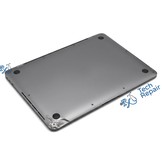
Choose Apple menu > About This Mac. The MacBook Air M1 (2020) shows MacBook Air (M1, 2020) and Chip: Apple M1. If the Mac won't turn on, the model number A2337 is printed on the bottom case.
How long does a MacBook Air M1 (2020) repair take?
Screens, batteries, USB-C port boards, trackpads and keycaps are in stock, so those repairs are usually done in 1-3 hours, same day. For other repairs we order the part, which usually arrives in 1-2 business days, and most then take 30 minutes to 4 hours.
Is it worth fixing a MacBook Air M1 (2020)?
Usually, yes. The M1 Air is still a fast, well-supported Mac, and most repairs cost $39.99 to $389.99, far less than a new MacBook Air. We'll tell you honestly if a repair doesn't make sense.
My MacBook Air isn't an M1. Can you still fix it?
Yes. We repair other MacBook Air models too. Call or text us at (949) 903-6452 with your model number (printed on the bottom case) for a quote.
Can I mail in my MacBook Air M1 (2020)?
Yes. Buy the repair on its page, ship your Mac to us from anywhere in the US, and we'll repair it and ship it back. Standard return shipping is free.
Will I lose my data?
No. Screen, battery, keyboard, port and case repairs don't touch your storage. We still recommend a Time Machine or iCloud backup before any repair.