


Chromebook Repair in Mission Viejo, CA
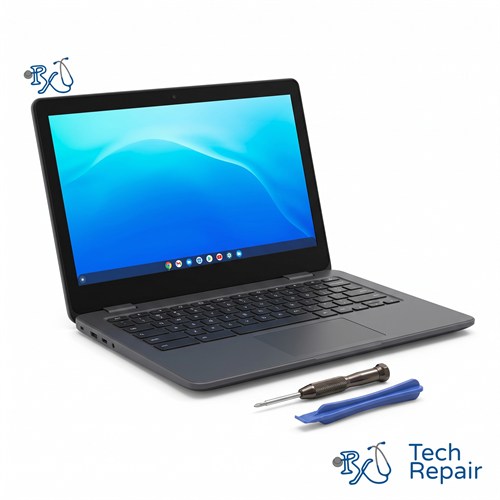
RxTech Repair fixes Chromebooks from every major brand, including HP, Lenovo, Acer, Dell, Samsung, ASUS and Google. We replace cracked screens, batteries, charging ports, keyboards and hinges, clean up liquid spills, and recover ChromeOS. Diagnosis is free at our Mission Viejo store, and you can mail in your Chromebook from anywhere in the US.
Diagnosis: Free
Water damage: Free diagnosis
Chromebook Repair Services
Choose a repair to see what's involved, common symptoms and things you can try first.
 Screen Repair & Replacement$99 - $249Cracked screen, broken LCD, lines, black display or a touch screen that stopped working.
 Charging Port Repair$99 modular portsUSB-C or DC jack ports that are loose, broken or won't charge.
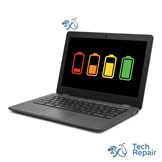 Battery Replacement$99 - $129Won't hold a charge, dies when unplugged, or a swollen battery.
 Keyboard & Trackpad Replacement$99 - $129Missing or sticky keys, dead keyboard, or a trackpad that won't click.
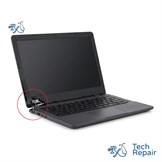 Hinge & Frame Repair$129 hinge onlyBroken hinges, cracked casing, or a lid that won't open or close.
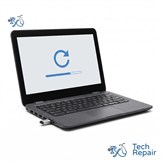 ChromeOS Recovery & Software$79"ChromeOS is missing or damaged," boot loops, and slow Chromebooks.
 Water Damage RepairFree diagnosisWater, coffee, juice or soda spilled on your Chromebook.
Chromebook Repair Prices
| Repair | Price |
| Screen replacement, standard non-touch | $99 - $119 |
| Screen replacement, touch screen (standard laptop) | $129 - $149 |
| Screen replacement, 2-in-1 and premium Chromebooks | $169 - $249+ |
| ChromeOS recovery or reinstall | $79 |
| Battery replacement, most Chromebooks | $99 |
| Battery replacement, higher-end Chromebooks | $129 |
| Charging port, modular port | $99 |
| Keyboard only | $99 |
| Trackpad only | $99 |
| Full palmrest with new keyboard and trackpad | $129 |
| Hinge only | $129 |
| Soldered charging ports, other software issues and water damage | Free quote by model |
Every price includes parts, labor and a 1-year warranty. Diagnosis is free, and we'll confirm the price for your exact model before any work.
Chromebook Repair Near You in South Orange County
Chromebooks are built to be simple and affordable, but they live hard lives in backpacks, on kitchen tables and in classrooms. The repairs we see most are cracked screens, charging ports that were bent or pulled loose by the charger cable, and hinges that break out of the plastic case. We also replace worn-out and swollen batteries, keyboards with missing keys, and trackpads that stopped clicking.
Not every Chromebook problem is hardware. If your screen says "ChromeOS is missing or damaged," your Chromebook is stuck on the logo, or it has become slow, our ChromeOS recovery service can usually fix it without replacing any parts.
When you call or text for a quote, it helps to know your Chromebook's make and model, for example "Acer Chromebook Spin 311" or "Lenovo 300e Chromebook Gen 3." You'll usually find it on the label on the bottom of your Chromebook. If you can't find it, bring it in and we'll figure it out for you.
Fast Turnaround for Student and School Chromebooks (SVUSD & CUSD)
Many students in Saddleback Valley Unified (SVUSD) and Capistrano Unified (CUSD) do their homework on a Chromebook, and a broken one the night before a project is due is stressful for the whole family. We can typically get parts in 1 to 2 business days, and most student Chromebook repairs are done the same day the part arrives.
Personally owned (BYOD) Chromebooks: bring it in for a free diagnosis and a quote. We'll tell you what's wrong and what it costs before we start.
School-issued Chromebooks: check your district's device agreement first. Some districts require that their Chromebooks are repaired through the district, while others let families choose. If yours allows outside repairs, we're happy to help.
We Repair All Major Chromebook Brands & Models
HP Chromebook Repair
Servicing all HP Chromebook 11, 14 and 15 models, HP Chromebook x360 2-in-1s, HP Fortis student Chromebooks and the HP Elite Dragonfly Chromebook.
Lenovo Chromebook Repair
Complete hardware repairs for Lenovo 100e, 300e and 500e student Chromebooks, the IdeaPad Duet and Duet 5, and IdeaPad Flex and Slim Chromebooks.
Acer Chromebook Repair
Fixing the Acer Chromebook Spin series, Chromebook 311, 314 and 315, Chromebook Plus models and the Chromebook Vero series.
Dell Chromebook Repair
Supporting the Dell Chromebook 11 (3100 and 3110) and 3000 series education models, and Dell Latitude Chromebook Enterprise models.
Samsung & ASUS Chromebook Repair
Screen and battery replacements for the Samsung Galaxy Chromebook, Chromebook Plus and Chromebook Pro, and the ASUS Chromebook Flip, Chromebook Plus and Vivobook Chromebook series.
Google Pixelbook Repair
Specialized service for the Google Pixelbook and Pixelbook Go.
Don't see your Chromebook? We also work on Chromebooks from other brands. Call or text (949) 903-6452 and we'll let you know.
How to Get Your Chromebook Repaired
In store in Mission Viejo
Bring your Chromebook to RxTech Repair at 27001 La Paz Road Suite 402B, Mission Viejo, CA 92691. Diagnosis is free, and we'll give you a price before we start any work. We serve all of South Orange County, including Lake Forest, Laguna Hills, Laguna Niguel, Aliso Viejo, Rancho Santa Margarita, Ladera Ranch, San Juan Capistrano, Coto de Caza and Irvine. Call or text (949) 903-6452 to schedule.
Mail-in from anywhere in the US
Call, text or contact us with your Chromebook's make and model for a quote, then ship it to us using our shipping instructions. We'll fix it and ship it back to you by standard shipping for free.
Warranty
Every Chromebook repair comes with a 1-year limited warranty on the parts we install and our labor. See our warranty page for details.
Schools, businesses and organizations
We repair Chromebooks in bulk for schools, businesses and organizations. Call (949) 903-6452 or email info@rxtechrepair.com to set up a quote.
Ways to Pay
In store, we accept cash, all 4 major credit cards, Venmo, Zelle, PayPal, Apple Pay, Google Pay and Samsung Pay.
Frequently Asked Questions
How much does Chromebook repair cost?
Screen replacement is $99 to $119 for standard screens, $129 to $149 for touch screens and $169 to $249 or more for 2-in-1 and premium Chromebooks. ChromeOS recovery is $79. Battery replacement is $99, or $129 for higher-end Chromebooks. Modular charging ports, keyboards and trackpads are $99 each, a full palmrest with a new keyboard and trackpad is $129, and a hinge-only repair is $129. Other repairs are quoted by model. Diagnosis is free, and you'll get the price before we start any work. Call or text (949) 903-6452 with your model number.
How long does a Chromebook repair take?
We can typically get the part for your model in 1 to 2 business days, and most Chromebook repairs are done the same day the part arrives.
Can you fix my child's school Chromebook?
We repair personally owned Chromebooks for students of any school. If the Chromebook was issued by the school district, check your district's device agreement first, because some districts require that their Chromebooks are repaired through the district.
Where do I find my Chromebook's model number?
Look at the label on the bottom of your Chromebook. It usually lists the brand and model, for example Acer Chromebook Spin 311 or Lenovo 300e. If the label is worn off, bring it in and we'll identify it for you.
Do you offer a warranty on Chromebook repairs?
Yes. Every Chromebook repair includes a 1-year limited warranty on the parts we install and our labor. See our warranty page for details.
Can I mail in my Chromebook for repair?
Yes. Contact us for a quote, then ship your Chromebook to us from anywhere in the US. We'll repair it and ship it back by standard shipping for free.