

iPad Tempered Glass Screen Protectors
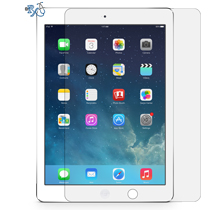
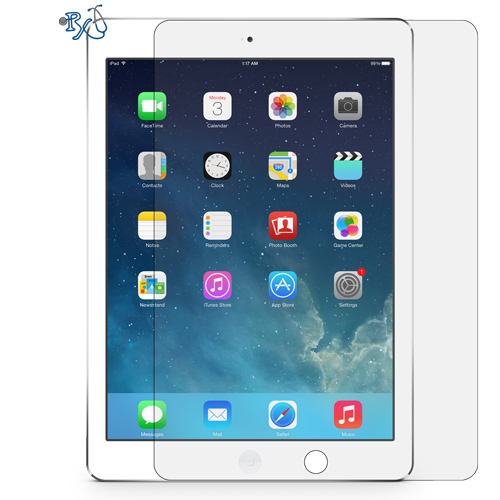
RxTech Repair sells tempered glass screen protectors for every iPad, from the iPad 2 to the latest iPad Pro, iPad Air, iPad mini and iPad (A16). Screen protectors are $29.99 for 11-inch and smaller iPads and $39.99 for 12.9-inch and 13-inch iPads. We ship free anywhere in the US, or install it for free at our Mission Viejo, CA store in about 10 to 15 minutes.
Availability: In Stock
Choose Your iPad Model
Find your iPad below and click Add to Cart. You can add protectors for several iPads and check out once. Not sure which model you have? See the model guide below.
| iPad Model | Price | Buy |
| iPad Pro 13-inch (M4 / M5) Fits: iPad Pro 13-inch (M4, 2024), iPad Pro 13-inch (M5, 2025) |
$39.99 | |
| iPad Pro 11-inch (M4 / M5) Fits: iPad Pro 11-inch (M4, 2024), iPad Pro 11-inch (M5, 2025) |
$29.99 | |
| iPad Air 13-inch (M2 / M3 / M4) Fits: iPad Air 13-inch (M2, 2024), (M3, 2025) and (M4, 2026) |
$39.99 | |
| iPad Air 11-inch (M2 / M3 / M4) Fits: iPad Air 11-inch (M2, 2024), (M3, 2025) and (M4, 2026) |
$29.99 | |
| iPad Pro 12.9-inch (3rd to 6th gen) Fits: iPad Pro 12.9-inch 3rd gen (2018), 4th gen (2020), 5th gen (2021), 6th gen (2022) |
$39.99 | |
| iPad Pro 11-inch (1st to 4th gen) / iPad Air (4th & 5th gen) Fits: iPad Pro 11-inch 1st gen (2018), 2nd gen (2020), 3rd gen (2021), 4th gen (2022), iPad Air 4th gen (2020), iPad Air 5th gen (2022) |
$29.99 | |
| iPad Pro 10.5-inch / iPad Air (3rd gen) Fits: iPad Pro 10.5-inch (2017), iPad Air 3rd gen (2019) |
$29.99 | |
| iPad Pro 12.9-inch (1st & 2nd gen) Fits: iPad Pro 12.9-inch 1st gen (2015), 2nd gen (2017) |
$39.99 | |
| iPad (10th gen) / iPad (A16) Fits: iPad 10th gen (2022), iPad (A16, 2025) |
$29.99 | |
| iPad (7th, 8th & 9th gen) Fits: iPad 7th gen (2019), 8th gen (2020), 9th gen (2021) |
$29.99 | |
| iPad Air / Air 2 / Pro 9.7-inch / iPad (5th & 6th gen) Fits: iPad Air (2013), iPad Air 2 (2014), iPad Pro 9.7-inch (2016), iPad 5th gen (2017), iPad 6th gen (2018) |
$29.99 | |
| iPad 2 / iPad (3rd & 4th gen) Fits: iPad 2 (2011), iPad 3rd gen (2012), iPad 4th gen (2012) |
$29.99 | |
| iPad mini (6th gen) / iPad mini (A17 Pro) Fits: iPad mini 6th gen (2021), iPad mini (A17 Pro, 2024) |
$29.99 | |
| iPad mini 4 / iPad mini (5th gen) Fits: iPad mini 4 (2015), iPad mini 5th gen (2019) |
$29.99 | |
| iPad mini / mini 2 / mini 3 Fits: iPad mini (2012), iPad mini 2 (2013), iPad mini 3 (2014) |
$29.99 |
Tempered Glass Screen Protectors for Every iPad
We carry tempered glass screen protectors for every iPad model. Whether you have an iPad 2 or the newest iPad Pro, we have the correct tempered glass for it. If you're local to Mission Viejo, we'll install it on your iPad for no additional fee. Otherwise, buy it from this page and we'll ship it to you for free.
Protect Your iPad Screen From Cracks and Scratches
Tempered glass screen protectors help prevent scratches like plastic film protectors do, and they can also help prevent your screen from cracking when your iPad falls face down. A tempered glass protector is like a seatbelt in a car: it won't help in every crash, but it's much better to have one than not. The glass is designed to absorb the impact and crack instead of your iPad's screen, which is much more expensive to replace. If your screen is already cracked, see our iPad screen replacement service.
Why Tempered Glass Is Better Than Plastic Film
- Feels like real glass, so your finger glides smoothly across it
- 0.33mm thick, so it resists scratches much better than plastic film
- 9H hardness rating for strong scratch resistance
- Rounded, smooth edges
- Crystal clear, so your screen looks just like it did before
- Oleophobic coating resists fingerprints and smudges
- Your touchscreen stays just as responsive
- Works with the Apple Pencil on supported iPads
- Easy to install yourself, or we'll install it for free in our store
What's in the Box
- 1 tempered glass screen protector for your iPad model
- 1 alcohol cleaning wipe
- 1 dust removal sticker
See the How to install tab above for step-by-step installation instructions.
Pricing by Model
$29.99 for 11-inch and smaller iPads, including the iPad, iPad mini, iPad Air 11-inch and iPad Pro 11-inch. $39.99 for 12.9-inch and 13-inch iPads, including the iPad Pro 12.9-inch, iPad Pro 13-inch and iPad Air 13-inch. See the model list above to find yours and add it to your cart.
Free Shipping Anywhere in the US
Buy your tempered glass with a credit card or PayPal using the "Add to Cart" buttons above. Shipping is free anywhere in the US, and we ship your order within 2 to 5 business days. Unused screen protectors can be returned within 30 days. Return shipping is paid by the customer.
Free Installation in Orange County, CA in 10 to 15 Minutes
If you live in Orange County, CA, come by our Mission Viejo store and we'll clean your iPad and install the screen protector for you while you wait. We can install it without bubbles as long as your screen is in good condition, and we have a lot of experience making them look great. Questions? Contact us or call or text (949) 903-6452.
How to Find Your iPad Model
Using Settings: open Settings > General > About. Your model name (for example, iPad Air 11-inch (M2)) is shown next to Model Name. To see the model number (for example, A2902), tap the Model Number line once.
On the back of your iPad: look for the small text below the word "iPad". It says Model A followed by four numbers (for example, A1474). Match those numbers to the list below to see which iPad model you have and which screen protector to buy.
iPad model numbers:
iPad 2: A1395, A1396 & A1397
iPad (3rd generation): A1416, A1430 & A1403
iPad (4th generation): A1458, A1459 & A1460
iPad (5th generation): A1822 & A1823
iPad (6th generation): A1893 & A1954
iPad (7th generation): A2197, A2200 & A2198
iPad (8th generation): A2270, A2428, A2429 & A2430
iPad (9th generation): A2602, A2604, A2603 & A2605
iPad (10th generation): A2696, A2757, A2777 & A3162
iPad (A16): A3354, A3355 & A3356
iPad Air: A1474, A1475 & A1476
iPad Air 2: A1566 & A1567
iPad Air (3rd generation): A2152, A2123, A2153 & A2154
iPad Air (4th generation): A2316, A2324, A2325 & A2072
iPad Air (5th generation): A2588, A2589 & A2591
iPad Air 11-inch (M2): A2902, A2903 & A2904
iPad Air 13-inch (M2): A2898, A2899 & A2900
iPad Air 11-inch (M3): A3266, A3267 & A3270
iPad Air 13-inch (M3): A3268, A3269 & A3271
iPad Air 11-inch (M4): A3459, A3460 & A3463
iPad Air 13-inch (M4): A3461, A3462 & A3464
iPad Pro (12.9-inch): A1584 & A1652
iPad Pro (9.7-inch): A1673, A1674 & A1675
iPad Pro (10.5-inch): A1701, A1709 & A1852
iPad Pro 12.9-inch (2nd generation): A1670, A1671 & A1821
iPad Pro 11-inch: A1980, A2013, A1934 & A1979
iPad Pro 12.9-inch (3rd generation): A1876, A2014, A1895 & A1983
iPad Pro 11-inch (2nd generation): A2228, A2068, A2230 & A2231
iPad Pro 12.9-inch (4th generation): A2229, A2069, A2232 & A2233
iPad Pro 11-inch (3rd generation): A2377, A2459, A2301 & A2460
iPad Pro 12.9-inch (5th generation): A2378, A2461, A2379 & A2462
iPad Pro 11-inch (4th generation): A2759, A2761, A2435 & A2762
iPad Pro 12.9-inch (6th generation): A2436, A2437, A2764 & A2766
iPad Pro 11-inch (M4): A2836, A2837 & A3006
iPad Pro 13-inch (M4): A2925, A2926 & A3007
iPad Pro 11-inch (M5): A3357, A3358 & A3359
iPad Pro 13-inch (M5): A3360, A3361 & A3362
iPad mini: A1432, A1454 & A1455
iPad mini 2: A1489, A1490 & A1491
iPad mini 3: A1599 & A1600
iPad mini 4: A1538 & A1550
iPad mini (5th generation): A2133, A2124, A2126 & A2125
iPad mini (6th generation): A2567, A2568 & A2569
iPad mini (A17 Pro): A2993, A2995 & A2996
How to Install Your iPad Tempered Glass Screen Protector
Installing your screen protector takes about 5 minutes. Every screen protector comes with an alcohol cleaning wipe and a dust removal sticker. Dust is the main cause of bubbles, so take your time with the cleaning steps. An iPad screen is large, so work slowly and carefully.
Before you start:
- Wash and dry your hands so you don't leave oils on the screen or glass.
- Work on a clean, flat table in a dust-free spot with good lighting. A bathroom right after a hot shower works well, because the steam settles dust in the air.
- Take your iPad out of its case or keyboard and lock the screen.
Step-by-step instructions:
- Clean the screen with the alcohol wipe. Open the alcohol wipe and wipe the entire screen from edge to edge, removing all fingerprints, oils and smudges. Let the screen air-dry for about 30 seconds.
- Remove dust with the dust removal sticker. Peel the dust removal sticker off its backing and press it onto the screen sticky side down, then peel it off to lift away dust and lint. Work your way across the whole screen until no dust is left.
- Check for dust. Tilt your iPad under a light and look across the screen at an angle. If you see any specks, use the dust removal sticker again.
- Peel the film off the tempered glass. Hold the tempered glass by its edges and peel the protective film off the back (the side that sticks to your screen). Don't touch the sticky side or let it touch anything.
- Line up the glass. Hold the glass just above your screen with the sticky side facing down. Line up the cutout with your iPad's front camera (and the home button on older models), and make sure the edges are even on all sides.
- Lay the glass down. Once it's lined up, gently lower the glass onto the screen. Press lightly in the center and the glass will start sticking on its own, spreading out toward the edges. Don't press hard or slide the glass once it touches the screen.
- Push out any bubbles. Using your finger or the edge of a soft card, push any air bubbles from the center toward the nearest edge. Small bubbles usually disappear on their own within 24 to 48 hours. Your screen protector is now installed.
Got a speck of dust trapped under the glass?
Carefully lift the corner of the glass nearest the dust with your fingernail. Lightly touch the dust removal sticker to the dust on the screen or on the sticky side of the glass to lift it off, then lay the glass back down. Don't lift the glass more than you need to, and don't touch the sticky side with your fingers.
Want us to do it for you?
If you're local to Orange County, bring your iPad to our Mission Viejo store and we'll clean your screen and install your tempered glass for free, usually in 10 to 15 minutes. Call or text (949) 903-6452 with any questions.
Frequently Asked Questions
Which screen protector fits my iPad?
Find your iPad in the model list on this page. Some iPads share the same glass, for example the iPad Pro 11-inch (4th generation) and iPad Air (5th generation), so they are listed together. To check your model, open Settings > General > About and look at Model Name.
How much does an iPad tempered glass screen protector cost?
$29.99 for 11-inch and smaller iPads, including the iPad, iPad mini, iPad Air 11-inch and iPad Pro 11-inch. $39.99 for 12.9-inch and 13-inch iPads. Shipping anywhere in the US is free.
Does the screen protector work with the Apple Pencil?
Yes. The tempered glass works with the Apple Pencil on iPads that support it, and your touchscreen stays just as responsive.
Do you install the screen protector?
Yes. Bring your iPad to RxTech Repair at 27001 La Paz Road Suite 402B, Mission Viejo, CA 92691, and we will clean your screen and install the tempered glass for free, usually in 10 to 15 minutes.
How fast do you ship?
Shipping is free anywhere in the US. Orders ship within 2 to 5 business days.
Can I return a screen protector?
Yes. Unused screen protectors can be returned within 30 days of purchase. Shipping to you is free, but return shipping is paid by the customer. Contact us at (949) 903-6452 or info@rxtechrepair.com to start a return. See our return policy for details.