

Microsoft Surface Book Repair - Surface Book 1, 2 & 3
RxTech Repair fixes Microsoft Surface Book 1, Surface Book 2 and Surface Book 3 laptops at our repair shop in Mission Viejo, Orange County, CA, and through our mail-in repair service from anywhere in the United States. Our most popular services are the original Surface Book (Surface Book 1) screen replacement and the Surface Book tablet battery replacement. Most Surface Book repairs are completed in 1-2 days, and every repair is backed by our warranty on both parts and labor. Call or text (949) 903-6452 with any questions.
Surface Book 1 Repair
The original Microsoft Surface Book (Surface Book 1), released in 2015, has a 13.5" PixelSense touchscreen (3000 x 2000, 267 PPI) and an Intel 6th generation Core i5 or Core i7 processor, with an optional NVIDIA GeForce graphics card in the keyboard base. Surface Book 1 model number is 1703. Common Surface Book 1 repairs we perform include:
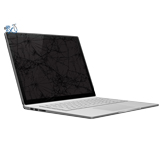
- Surface Book 1 Screen Replacement - $329: fixes cracked or shattered glass, touch and pen problems (digitizer), and lines, flickering or a black display (LCD). The complete display assembly is replaced with a new one.
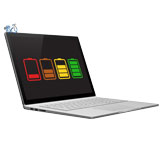
- Surface Book Tablet Battery Replacement - $299: fixes short battery life when the screen is detached, the tablet shutting off when removed from the keyboard, a battery that won't charge, and a swollen battery lifting the screen.
- Surface Book Keyboard Battery Replacement - $249: fixes short battery life with the screen attached, a keyboard base battery that won't charge, and a swollen battery pushing up the trackpad or keyboard. Same-day service if you're local.
Surface Book 2 & Surface Book 3 Repair
We also repair the Surface Book 2 and Surface Book 3. The 13.5" Surface Book 2 screen replacement is $399, and our tablet battery replacement covers Surface Book 2 13.5" model 1832. For Surface Book 3 repairs, or any Surface Book problem not listed below, call or text us for a quote.
How to Tell Which Surface Book You Have
In Windows, open Settings > System > About, or open the Surface app from the Microsoft Store. Either will show your exact Surface model, such as Surface Book, Surface Book 2 or Surface Book 3. If your Surface Book won't turn on, call or text us with a photo and we'll help you identify it.
About the Surface Book
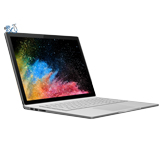
The Surface Book is a 2-in-1 laptop with a detachable screen. Its fulcrum hinge rolls open away from the keyboard, and the screen (called the tablet or clipboard) locks onto the keyboard base with a muscle wire latch that is released with the detach key for tablet use. The screen can also be reattached facing backward for presenting or drawing. The Surface Book has two batteries: a small one in the tablet behind the screen and a larger one in the keyboard base. Because the tablet battery is used every time the screen is detached, it is usually the first to wear out or swell. Dropping a Surface Book can crack the glass or damage the LCD, which we fix with the screen replacement repairs below.
Ex Tax: $5.60
Ex Tax: $5.60