

MacBook Air M1 (2020) Power Button / Touch ID Replacement
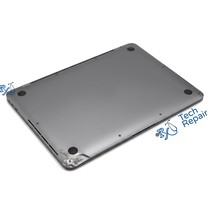
Model Numbers: A2337 (printed on the bottom case)
Turnaround: 1-2 business days in Mission Viejo, CA
Availability: Part ordered for your repair
MacBook Air M1 (2020) Power Button / Touch ID Replacement Description
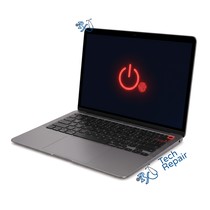
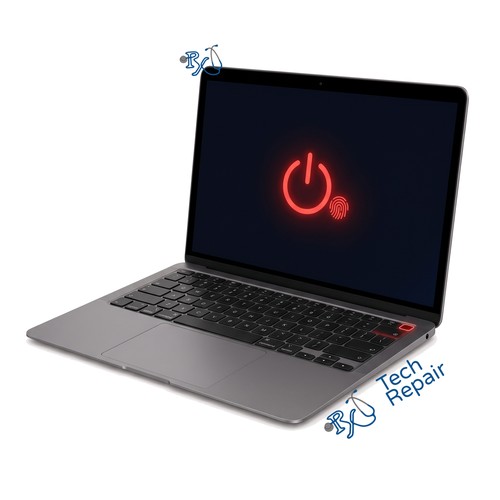
On the MacBook Air M1 the power button is also the Touch ID sensor, in the top-right corner of the keyboard. If the button is stuck, cracked, doesn't turn the Mac on, or Touch ID stopped reading your finger, we replace it. There are two options. The aftermarket button ($99) brings back power on and off only: Touch ID will not work with it, because the sensor is paired to your Mac's logic board, so you sign in with your password or an Apple Watch. The genuine Apple button ($139.99) is paired to your Mac with Apple's Repair Assistant, so Touch ID keeps working.
Symptoms this repair should fix:
- Power button stuck, loose or cracked
- Mac won't power on from the button
- Touch ID doesn't recognize your finger
- Touch ID setup fails in System Settings
Ship your MacBook Air to us from anywhere in the US!
Simply buy the repair using a credit card or PayPal using the button above, ship your Mac to us, and we'll take care of the rest! We cover return shipping to you for free via standard shipping. If you need expedited 2-day return shipping, you have that option above for an additional fee.
Get your MacBook Air repaired in Orange County, CA!
For this repair plan on 1-2 business days. Feel free to come to our storefront in Mission Viejo if you are close by. An appointment is recommended.
Let our experienced technicians fix your device.
Our technicians have done over 30,000 repairs, so your MacBook Air is in good hands.
Find Out Which Mac You Have
The MacBook Air M1 (2020) is Apple's 13-inch MacBook Air with the Apple M1 chip, released in late 2020. Its model number is A2337. It comes in Silver, Space Gray and Gold, has a wedge shape that gets thinner toward the front, two USB-C ports on the left and a headphone jack on the right.
Option 1: Check About This Mac
If your Mac turns on, choose Apple menu > About This Mac. It should say MacBook Air (M1, 2020) and Chip: Apple M1.
Option 2: Mac won't turn on?
Turn it over: the model number (A2337) is printed in small text on the bottom case. You can also bring it to our shop and we'll identify it for you.
Looks the same but says A2179?
That's the Intel MacBook Air from early 2020. It looks identical but uses different parts, so call or text us for a quote.
If your Mac isn't a MacBook Air M1 (2020), see our Mac repair page or call or text us at (949) 903-6452 and we'll help you figure it out.
MacBook Air M1 (2020) Power Button / Touch ID Replacement FAQ
How much does a MacBook Air M1 (2020) Power Button / Touch ID Replacement cost?
The MacBook Air M1 (2020) Power Button / Touch ID Replacement at RxTech Repair is $99 with an aftermarket button (Touch ID will not work) or $139.99 with a genuine Apple button that keeps Touch ID working, including parts and labor. Mail-in repairs include free standard return shipping.
How long does a MacBook Air M1 (2020) Power Button / Touch ID Replacement take?
This service takes 1-2 business days at our Mission Viejo, CA shop, or after your Mac arrives for mail-in.
Can I mail in my MacBook Air M1 (2020) for repair?
Yes. Buy the repair on this page, ship your MacBook Air to RxTech Repair from anywhere in the US using USPS, UPS or FedEx, and we'll repair it and ship it back to you. See our shipping directions.
What does the MacBook Air M1 (2020) Power Button / Touch ID Replacement fix?
It replaces the power button. With the genuine Apple option Touch ID keeps working; with the aftermarket option only power on and off is restored.
Will Touch ID work after the repair?
Only with the genuine Apple button ($139.99), which we pair to your Mac with Apple's Repair Assistant. With the aftermarket button ($99) the power button works but Touch ID does not, so you sign in with your password or an Apple Watch.
Will I lose my data?
No. This repair doesn't touch your storage, so your files, photos and apps stay on the Mac. We still recommend a Time Machine or iCloud backup before any repair.
Which Mac does this repair fit?
This repair is for the MacBook Air 13-inch (M1, 2020), model number A2337. To check yours, choose Apple menu > About This Mac, or look for the model number printed on the bottom case.