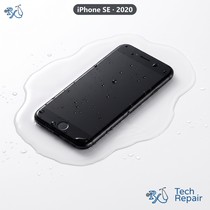


iPhone SE (2020) Screen Replacement
Model Numbers: A2275, A2296, A2298
Turnaround: Usually an hour or less, same day in Mission Viejo, CA • same day as arrival for mail-in
Availability: In Stock
iPhone SE (2020) Screen Replacement Description
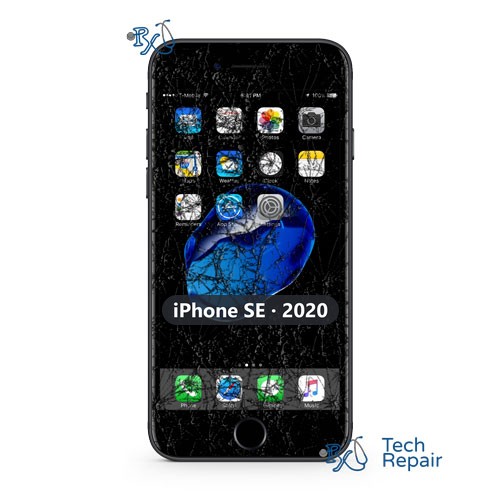
If your iPhone SE (2020) screen is cracked, shows lines, black spots or a green tint, flickers, or doesn't respond to touch, the display needs replacing. The glass and the LCD panel are bonded together, so we replace them as one part with a refurbished original (OEM) Apple LCD panel. We move your original Touch ID home button over to the new screen, so Touch ID keeps working, and the front camera and sensors stay with your phone. We also move your True Tone data over so colors look right.
Symptoms this repair should fix:
- Cracked or shattered glass
- Lines, black spots, green or pink tint, or flickering
- Touch doesn't respond, or the phone taps by itself
- Screen stays black while the phone rings or vibrates
Ship your iPhone SE (2020) to us from anywhere in the US!
Simply buy the repair using a credit card or PayPal using the button above, ship your phone to us, and we'll take care of the rest! We cover return shipping to you for free via standard shipping. If you need expedited 2-day return shipping, you have that option above for an additional fee.
Get your iPhone SE (2020) repaired in Orange County, CA!
Turnaround for this repair is usually an hour or less, same day. Feel free to come to our storefront in Mission Viejo if you are close by. An appointment is recommended.
Let our experienced technicians fix your device.
Our technicians have done over 30,000 phone and tablet repairs, so your iPhone SE (2020) is in good hands.
Find Out Which iPhone You Have
The Apple iPhone SE (2020) came out in April 2020. It has the same body as the iPhone 8 and looks almost the same as the iPhone SE (2022), so check your model before you buy a repair. The iPhone SE (2020) model numbers are A2275, A2296, A2298.
Option 1: Check in Settings
If your phone still turns on and the screen works, open Settings > General > About. The model name (for example "iPhone SE (2020)") is listed there. Tap Model Number to see the A-number.
Option 2: Phone won't turn on?
The model number is engraved inside the SIM tray slot on some models. The model name is on the original box and in your Apple or carrier order. You can also bring the phone to our shop and we'll identify it for you.
Other iPhone SE models:
iPhone SE (2022): A2595, A2782, A2783, A2784, A2785
iPhone SE (2016): A1662, A1723, A1724
If your phone isn't an iPhone SE (2020), find it on our iPhone repair page. Still not sure? Call or text us at (949) 903-6452 and we'll help you figure it out.
iPhone SE (2020) Screen Replacement FAQ
How much does an iPhone SE (2020) Screen Replacement cost?
The iPhone SE (2020) Screen Replacement at RxTech Repair is $89.99, including parts and labor. Mail-in repairs include free standard return shipping.
How long does an iPhone SE (2020) Screen Replacement take?
Usually an hour or less, same day, at our Mission Viejo, CA shop. Mail-in repairs are done the same day your phone arrives.
Can I mail in my iPhone SE (2020) for repair?
Yes. Buy the repair on this page, ship your iPhone SE (2020) to RxTech Repair from anywhere in the US using USPS, UPS or FedEx, and we'll repair it and ship it back to you. See our shipping directions.
What does the iPhone SE (2020) Screen Replacement fix?
It replaces the cracked or faulty screen (glass and LCD together), so your iPhone looks and responds like new, and your Touch ID keeps working.
Will Touch ID still work after a screen replacement?
Yes. On the iPhone SE (2020) we move your original home button over to the new screen, so Touch ID keeps working. We also move your True Tone data over so colors look right.
Will I lose my data?
No. This repair doesn't touch your storage, so your photos, apps and messages stay on the phone. We still recommend an iCloud backup before any repair.
Which iPhone models does this repair work on?
This repair is for the Apple iPhone SE (2020), model numbers A2275, A2296, A2298. To check yours, open Settings > General > About; the model name is listed there, and tapping the Model Number shows the A-number.