


iPhone SE (2016) Repairs
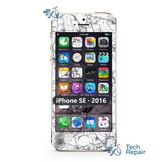
Cracked screen, a battery that won't last or a phone that got wet? We repair the Apple iPhone SE (2016) at our Mission Viejo shop, with upfront prices listed below.
- Compatible models: A1662, A1723, A1724. To check yours, open Settings > General > About.
- The phone: 4-inch Retina LCD with a Touch ID home button, an aluminum back (the same body as the iPhone 5S), a 12MP rear camera, a Lightning port and a 3.5 mm headphone jack.
- How it opens: The screen comes off first to reach the battery, cameras, speakers and charging port. The back is aluminum, so there is no back glass to replace.
- Touch ID: Keeps working after a screen replacement, because we move your original home button to the new screen. A replacement home button restores the click only, so Touch ID won't work after that repair.
- Service options: By appointment at our Mission Viejo shop, or nationwide mail-in repair from anywhere in the US.

iPhone SE (2016) Repair FAQs
Will Touch ID still work after a repair?
Yes, for every repair here except the home button. Screen replacements keep Touch ID working because we move your original home button to the new screen, and the battery, camera, charging port, speaker and button repairs don't touch it. A home button replacement restores the click only: Touch ID can't be paired to a new button, so you unlock with your passcode.
How long does an iPhone SE (2016) repair take?
Most repairs take an hour or less at our Mission Viejo shop in South Orange County; water damage takes a few hours, same day. For mail-in repairs, add shipping time both ways.
Is it worth fixing an iPhone SE (2016)?
Usually, yes. iPhone SE (2016) repairs cost $34.99 to $129, far less than a new phone, and a new screen or battery makes it feel like new again.
Can I mail in my iPhone SE (2016)?
Yes. Buy the repair on its page, ship your phone to us from anywhere in the US, and we'll repair it and ship it back. Standard return shipping is free. For water damage, call or text us first.
How do I tell the iPhone SE (2016) from the iPhone SE (2022) or iPhone SE (2020)?
Open Settings > General > About; the model name is listed there, and tapping Model Number shows the A-number. iPhone SE (2016): A1662, A1723, A1724. iPhone SE (2022): A2595, A2782, A2783, A2784, A2785. iPhone SE (2020): A2275, A2296, A2298.