


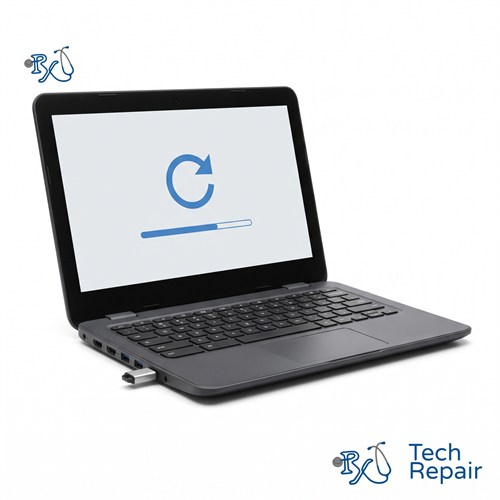
ChromeOS Recovery & Software Troubleshooting
Is your Chromebook showing "ChromeOS is missing or damaged," stuck on the logo screen, restarting over and over, or just slow? RxTech Repair recovers and reinstalls ChromeOS and fixes Chromebook software problems in Mission Viejo, CA. Diagnosis is free, and we'll check whether the problem is software or hardware before we start.
Diagnosis: Free
Warranty: 1 year on parts and labor
Chromebook ChromeOS Reinstall & OS Restore
Most people don't know you can reinstall ChromeOS the way you reinstall Windows. They just see an error message and assume the Chromebook is dead. In many cases, it isn't. A ChromeOS recovery restores the operating system to a clean, working state, and it can fix problems that a restart can't.
ChromeOS recovery price
| Service | Price |
| ChromeOS recovery or reinstall | $79 |
| Other software troubleshooting | Free quote |
Diagnosis is free. If we find a hardware problem instead, such as a failing storage chip, we'll tell you the price before doing any other work.
Problems we fix
- "ChromeOS is missing or damaged" fix: including the "Please insert a recovery USB stick or SD card" screen
- Chromebook boot loop repair: a Chromebook that restarts over and over or keeps returning to the same screen
- Chromebook stuck on the logo screen: hangs on the Chrome or brand logo and never reaches the sign-in screen
- Powerwash and system restore: factory resetting a Chromebook that's acting up, or preparing one to sell or give away
- Developer Mode: getting out of the "OS verification is off" screen and back to normal mode
- Chromebook running slow tune-up: clearing out storage, extensions and settings that slow your Chromebook down
- Updates that won't install and apps or the Play Store that won't open
"ChromeOS is missing or damaged": what it means
This message means your Chromebook couldn't load its operating system when it started. Sometimes it's caused by a failed update or a bad shutdown, and a recovery fixes it. If the message keeps coming back after a recovery, the storage chip inside the Chromebook may be failing, which is a hardware problem. Our free diagnosis tells you which one you're dealing with.
Things you can try first
- Restart it. Hold the Power button until the Chromebook turns off, wait 10 seconds, and turn it back on.
- Do a hard reset. Hold the Refresh key and tap Power. This restarts the Chromebook's hardware without erasing anything.
- Powerwash it (if you can still sign in or reach the sign-in screen). Sign out, press and hold Ctrl + Alt + Shift + R, select Restart, then Powerwash. This erases everything saved on the Chromebook itself.
- Recover ChromeOS. On most Chromebook laptops, hold Esc + Refresh and press Power to enter recovery mode. On Chromebook tablets, hold Volume Up, Volume Down and Power for about 10 seconds. Many newer Chromebooks can then recover over Wi-Fi. Otherwise, you'll need a recovery USB drive (8 GB or larger) made with the Chromebook Recovery Utility in Chrome on another computer.
If that sounds like a lot, or recovery fails partway through, bring it in. We'll handle it and test the hardware at the same time.
About your files
Recovery and Powerwash erase everything stored on the Chromebook itself, such as the Downloads folder. Anything in Google Drive, along with your bookmarks and synced Chrome settings, comes back when you sign in again. If there's something in Downloads you need, tell us before we start and we'll see if it can be saved first.
What we can't do
We can't remove school or business management (enrollment) from a Chromebook. Only the organization's administrator can release it. We also can't bypass a Google account sign-in; if you've forgotten your password, use Google's account recovery.
ChromeOS Recovery for Every Chromebook Brand
We recover and troubleshoot ChromeOS on HP, Lenovo, Acer, Dell, Samsung and ASUS Chromebooks, Chromebook Plus models, and the Google Pixelbook and Pixelbook Go. See every Chromebook brand we repair.
How to Get Your Chromebook Repaired
In store in Mission Viejo
Bring your Chromebook to RxTech Repair at 27001 La Paz Road Suite 402B, Mission Viejo, CA 92691. Diagnosis is free, and we'll give you a price before we start any work. We serve all of South Orange County, including Lake Forest, Laguna Hills, Laguna Niguel, Aliso Viejo, Rancho Santa Margarita, Ladera Ranch, San Juan Capistrano, Coto de Caza and Irvine. Call or text (949) 903-6452 to schedule.
Mail-in from anywhere in the US
Call, text or contact us with your Chromebook's make and model for a quote, then ship it to us using our shipping instructions. We'll fix it and ship it back to you by standard shipping for free.
Warranty
Every Chromebook repair comes with a 1-year limited warranty on the parts we install and our labor. See our warranty page for details.
Schools, businesses and organizations
We repair Chromebooks in bulk for schools, businesses and organizations. Call (949) 903-6452 or email info@rxtechrepair.com to set up a quote.
Other Chromebook Repairs
 Screen Repair & Replacement$99 - $249Cracked screen, broken LCD, lines, black display or a touch screen that stopped working.
 Charging Port Repair$99 modular portsUSB-C or DC jack ports that are loose, broken or won't charge.
 Battery Replacement$99 - $129Won't hold a charge, dies when unplugged, or a swollen battery.
 Keyboard & Trackpad Replacement$99 - $129Missing or sticky keys, dead keyboard, or a trackpad that won't click.
 Hinge & Frame Repair$129 hinge onlyBroken hinges, cracked casing, or a lid that won't open or close.
 ChromeOS Recovery & Software$79"ChromeOS is missing or damaged," boot loops, and slow Chromebooks.
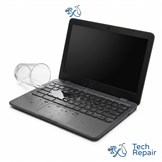 Water Damage RepairFree diagnosisWater, coffee, juice or soda spilled on your Chromebook.
See all of our Chromebook repair services.
Frequently Asked Questions
How do I fix "ChromeOS is missing or damaged"?
Turn the Chromebook off and on again first. If the message comes back, ChromeOS needs to be recovered, either over Wi-Fi on newer models or with a recovery USB drive made with the Chromebook Recovery Utility. If recovery fails or the message keeps returning, the storage chip may be failing. We can recover it for you or diagnose the hardware for free.
Will ChromeOS recovery erase my files?
Yes. Recovery and Powerwash erase everything saved on the Chromebook itself, such as the Downloads folder. Files in Google Drive and your synced Chrome settings come back when you sign in again.
Can you remove school or work management from a Chromebook?
No. A Chromebook that's enrolled by a school or business can only be released by that organization's administrator. If you bought a used Chromebook that's still managed, contact the seller or the organization listed on the sign-in screen.
How much does ChromeOS recovery cost?
ChromeOS recovery or reinstall is $79. Diagnosis is free, and if we find a hardware problem such as a failing storage chip, we'll tell you the price before doing any other work.
Why is my Chromebook so slow?
Common causes are too many browser extensions or tabs, nearly full storage, an out-of-date version of ChromeOS, or an older Chromebook that has reached the end of its automatic update period. We check all of these during a tune-up and tell you whether the Chromebook is worth repairing.