


Chromebook Charging Port Repair
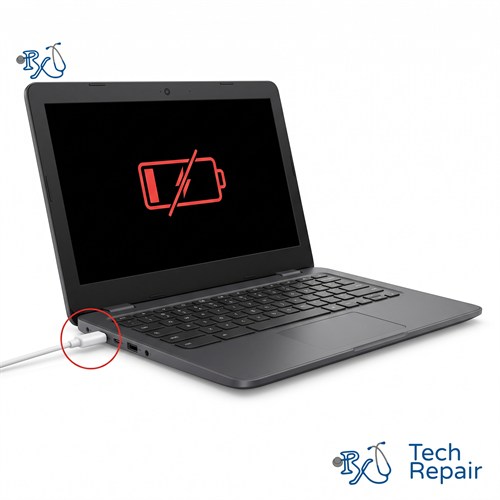
Chromebook won't charge, or does the charger only work at a certain angle? RxTech Repair fixes Chromebook charging ports in Mission Viejo, CA, including USB-C ports and the round DC jacks on older models. We test the charger, port and battery for free so you only pay for the part that's actually broken.
Diagnosis: Free
Warranty: 1 year on parts and labor
Chromebook USB-C Port Replacement
After broken screens, charging ports are the most common Chromebook repair we see. Modern Chromebooks charge through USB-C, and when the cable gets tripped over, yanked out sideways or pushed in at an angle in a backpack, the port can bend, wear loose or break off its board. Older Chromebooks use a round DC jack, which can break the same way.
Signs of a bad Chromebook charging port
- Your Chromebook won't charge, or the charging light doesn't turn on
- It only charges when the cable is held at a certain angle
- The plug feels loose, falls out easily, or won't go all the way in
- Charging keeps connecting and disconnecting
- The port is visibly bent, cracked or pushed into the case
Try these first
- Try another charger and cable. Chargers fail more often than ports. Use a USB-C charger made for laptops; a small phone charger may only charge very slowly or show a "low-power charger" message.
- Try the other port. Many Chromebooks have a USB-C port on each side, and either one can charge the Chromebook.
- Check the port for lint. Look into the port with a flashlight. Lint and debris from a backpack can keep the plug from seating. Don't use metal tools to clean it.
- Do a hard reset. Unplug the charger, then hold the Refresh key and tap the Power button. Plug the charger back in and wait a few minutes. This resets the part of the Chromebook that controls charging.
If none of that helps, the port, the board it's mounted on or the battery has likely failed.
How we repair Chromebook charging ports
First, we test your Chromebook with a known-good charger and measure what the port is doing to confirm the problem isn't the charger or the battery. Then we repair it based on how your model is built:
- USB-C daughterboard: on many Chromebooks the USB-C port is on a small separate board. We replace that board.
- Port on the motherboard: on some models the USB-C port is soldered directly to the motherboard. We'll explain the options and price for your model before we do any work.
- DC jack: on older Chromebooks with a round barrel charger, we replace the DC jack and its cable.
Chromebook charging port replacement price
| Charging port type | Price |
| Modular charging port (on its own small board) | $99 |
| Port soldered to the motherboard | Quote by model |
Diagnosis is free, so we'll tell you which type your Chromebook has and the exact price before any work.
If the diagnosis shows the battery is the real problem, we'll tell you and quote a Chromebook battery replacement instead.
Charging Port Repair for Every Chromebook Brand
We repair charging ports on HP, Lenovo, Acer, Dell, Samsung and ASUS Chromebooks and the Google Pixelbook, including student models like the Lenovo 100e and 300e, Dell Chromebook 11 and HP Chromebook 11. See every Chromebook brand we repair.
How to Get Your Chromebook Repaired
In store in Mission Viejo
Bring your Chromebook to RxTech Repair at 27001 La Paz Road Suite 402B, Mission Viejo, CA 92691. Diagnosis is free, and we'll give you a price before we start any work. We serve all of South Orange County, including Lake Forest, Laguna Hills, Laguna Niguel, Aliso Viejo, Rancho Santa Margarita, Ladera Ranch, San Juan Capistrano, Coto de Caza and Irvine. Call or text (949) 903-6452 to schedule.
Mail-in from anywhere in the US
Call, text or contact us with your Chromebook's make and model for a quote, then ship it to us using our shipping instructions. We'll fix it and ship it back to you by standard shipping for free.
Warranty
Every Chromebook repair comes with a 1-year limited warranty on the parts we install and our labor. See our warranty page for details.
Schools, businesses and organizations
We repair Chromebooks in bulk for schools, businesses and organizations. Call (949) 903-6452 or email info@rxtechrepair.com to set up a quote.
Other Chromebook Repairs
 Screen Repair & Replacement$99 - $249Cracked screen, broken LCD, lines, black display or a touch screen that stopped working.
 Charging Port Repair$99 modular portsUSB-C or DC jack ports that are loose, broken or won't charge.
 Battery Replacement$99 - $129Won't hold a charge, dies when unplugged, or a swollen battery.
 Keyboard & Trackpad Replacement$99 - $129Missing or sticky keys, dead keyboard, or a trackpad that won't click.
 Hinge & Frame Repair$129 hinge onlyBroken hinges, cracked casing, or a lid that won't open or close.
 ChromeOS Recovery & Software$79"ChromeOS is missing or damaged," boot loops, and slow Chromebooks.
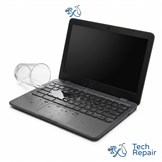 Water Damage RepairFree diagnosisWater, coffee, juice or soda spilled on your Chromebook.
See all of our Chromebook repair services.
Frequently Asked Questions
Why won't my Chromebook charge?
The most common causes are a damaged charger or cable, a loose or broken charging port, and a worn-out battery. Try a different charger and the other USB-C port first. If it still won't charge, bring it in for a free diagnosis and we'll find out which part has failed.
Can a Chromebook charging port be replaced?
Yes. On many Chromebooks the USB-C port is on a small separate board that we replace. On others it's soldered to the motherboard, and we tell you the options and price for your model before doing any work.
How much does Chromebook charging port repair cost?
Charging port replacement is $99 on Chromebooks with a modular charging port, where the port is on its own small board. If the port is soldered to the motherboard, the price depends on the model. Call or text (949) 903-6452 with your Chromebook's make and model for a quote.
My Chromebook only charges when the cable is held at an angle. What's wrong?
That usually means the charging port is worn or loose, or the cable's plug is damaged. Try another cable first. If the new cable does the same thing, the port needs to be repaired.