


Chromebook Battery Replacement
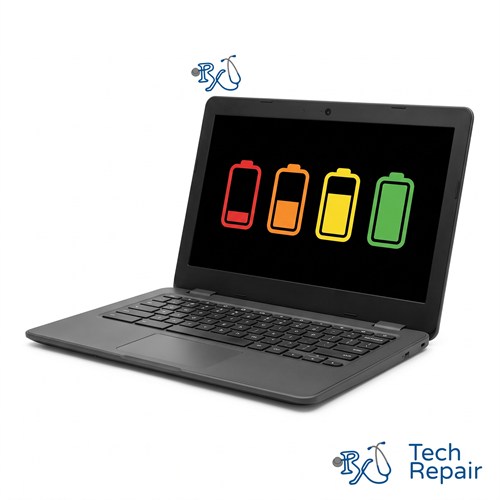
Chromebook won't hold a charge, dies as soon as you unplug it, or has a battery that's starting to swell? RxTech Repair replaces Chromebook batteries in Mission Viejo, CA for HP, Lenovo, Acer, Dell, Samsung, ASUS and Google Chromebooks. Diagnosis is free, and we'll confirm the battery is the problem before replacing it.
Diagnosis: Free
Warranty: 1 year on parts and labor
Chromebook Battery Repair and Replacement
Every lithium battery wears out with use. After a few years of daily charging, most Chromebook batteries hold much less charge than when they were new. A new battery gives your Chromebook its full battery life back, often for much less than the cost of a new Chromebook.
Chromebook battery replacement price
| Chromebook | Price |
| Most Chromebooks | $99 |
| Higher-end Chromebooks | $129 |
Prices include the battery, installation and a 1-year warranty. Send us your Chromebook's model and we'll confirm which price applies before any work.
Signs your Chromebook battery is failing
- Your Chromebook won't hold a charge or doesn't last through a school or work day anymore
- It dies as soon as you unplug it, or only works while plugged in
- The battery percentage drops suddenly, for example from 40% to 0%
- It shuts off at a random percentage, or won't turn on until it's been charging for a while
- The trackpad, keyboard or bottom case is bulging, or the trackpad has become hard to click
Check your Chromebook's battery health
Open the Diagnostics app on your Chromebook (search for "Diagnostics" in the launcher). The Battery section shows the battery's health and cycle count. Low battery health along with the symptoms above usually means it's time for a new battery. If the battery health looks fine but the Chromebook still won't charge, the problem may be the charger or the charging port instead. See our Chromebook charging port repair page.
Swollen battery removal
A swollen (bloated) battery pushes up on the trackpad and keyboard and can crack the case. If your trackpad is raised, hard to click, or the bottom of your Chromebook isn't sitting flat, stop using and charging it and bring it in. A swollen battery can be a fire risk if it's punctured. We'll remove it safely, replace it, and check the trackpad and case for damage. We'll also recycle the old battery for you. Learn more about our electronics recycling.
What's included
We install a new battery that matches your Chromebook's model, check that it charges correctly, and check the battery health afterward. Your files and Google account aren't affected. Battery replacements come with a 1-year limited warranty. See our warranty page for the battery terms.
Battery Replacement for Every Chromebook Brand
We replace batteries in HP Chromebook 11, 14 and x360 models, Lenovo 100e, 300e, 500e, IdeaPad Duet and Flex Chromebooks, Acer Chromebook Spin, 311, 314 and 315 models, Dell Chromebook 11 models, Samsung and ASUS Chromebooks, and the Google Pixelbook and Pixelbook Go. See every Chromebook brand we repair.
How to Get Your Chromebook Repaired
In store in Mission Viejo
Bring your Chromebook to RxTech Repair at 27001 La Paz Road Suite 402B, Mission Viejo, CA 92691. Diagnosis is free, and we'll give you a price before we start any work. We serve all of South Orange County, including Lake Forest, Laguna Hills, Laguna Niguel, Aliso Viejo, Rancho Santa Margarita, Ladera Ranch, San Juan Capistrano, Coto de Caza and Irvine. Call or text (949) 903-6452 to schedule.
Mail-in from anywhere in the US
Call, text or contact us with your Chromebook's make and model for a quote, then ship it to us using our shipping instructions. We'll fix it and ship it back to you by standard shipping for free.
Warranty
Every Chromebook repair comes with a 1-year limited warranty on the parts we install and our labor. See our warranty page for details.
Schools, businesses and organizations
We repair Chromebooks in bulk for schools, businesses and organizations. Call (949) 903-6452 or email info@rxtechrepair.com to set up a quote.
Other Chromebook Repairs
 Screen Repair & Replacement$99 - $249Cracked screen, broken LCD, lines, black display or a touch screen that stopped working.
 Charging Port Repair$99 modular portsUSB-C or DC jack ports that are loose, broken or won't charge.
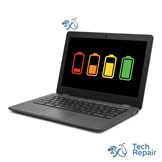 Battery Replacement$99 - $129Won't hold a charge, dies when unplugged, or a swollen battery.
 Keyboard & Trackpad Replacement$99 - $129Missing or sticky keys, dead keyboard, or a trackpad that won't click.
 Hinge & Frame Repair$129 hinge onlyBroken hinges, cracked casing, or a lid that won't open or close.
 ChromeOS Recovery & Software$79"ChromeOS is missing or damaged," boot loops, and slow Chromebooks.
 Water Damage RepairFree diagnosisWater, coffee, juice or soda spilled on your Chromebook.
See all of our Chromebook repair services.
Frequently Asked Questions
How do I know if my Chromebook battery needs to be replaced?
Open the Diagnostics app on your Chromebook (search for Diagnostics in the launcher) and check the battery health and cycle count. If the battery health is low, your Chromebook doesn't last through the day anymore, or it shuts off when you unplug it, the battery is likely worn out.
Is a swollen Chromebook battery dangerous?
Yes, it can be. A swollen lithium battery can damage the trackpad, keyboard and case, and a punctured battery can catch fire. Stop using and charging the Chromebook and bring it in so we can remove the battery safely.
How much does a Chromebook battery replacement cost?
Battery replacement is $99 for most Chromebooks and $129 for higher-end Chromebooks. Call or text (949) 903-6452 with your model number and we'll confirm which price applies.
Will replacing the battery erase my Chromebook?
No. Replacing the battery doesn't affect your storage, files or Google account.