


Chromebook Water Damage Repair
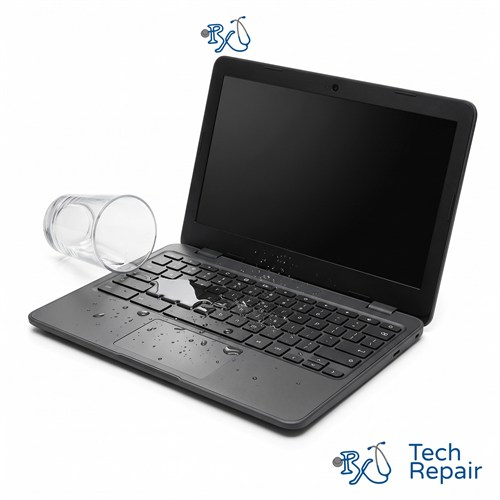
Spilled water, coffee, juice or soda on your Chromebook? Turn it off now and bring it in. RxTech Repair in Mission Viejo, CA opens up liquid-damaged Chromebooks, cleans the board and connectors, and diagnoses what needs to be repaired, for free. The sooner we see it, the better the chances.
Diagnosis: Free
Warranty: 1 year on parts and labor
Spilled Liquid on Your Chromebook? Do This Now
- Turn it off. Hold the Power button until the screen goes dark. Don't wait to see if it still works.
- Unplug the charger and anything else connected to it.
- Wipe off any liquid on the outside with a towel.
- Turn it upside down, open in a tent shape, so liquid can drain out of the keyboard.
- Don't turn it on or charge it, even if it seems fine. Power plus liquid is what causes short circuits.
- Skip the rice. It doesn't remove the residue that causes corrosion. Bring it in as soon as you can instead.
Chromebook Liquid Spill Repair
Coffee, juice and water spills happen all the time with student and work-from-home Chromebooks. Even when a Chromebook keeps working after a spill, the liquid leaves minerals or sugar behind on the motherboard and connectors. Over days or weeks, that residue corrodes the board, which is why a Chromebook can die long after the spill seemed harmless.
Signs of liquid damage
- Sticky, crunchy or unresponsive keys
- A keyboard or trackpad that stopped working after a spill
- Your Chromebook won't turn on, won't charge, or turns off on its own
- Lines, spots or a dim display
- No sound, or speakers that crackle
Board cleaning and diagnostics
We take your Chromebook apart, check every part the liquid reached, and clean the motherboard, connectors and keyboard area to remove residue and corrosion. Then we test the Chromebook and tell you what's working, what isn't, and what it will cost to fix. Common repairs after a spill include a new keyboard and palmrest, a new battery, or a new charging board.
Liquid damage is unpredictable, so we can't promise every Chromebook can be saved. We'll always tell you honestly whether a repair makes sense before you spend anything.
What about my files?
Most Chromebook files are saved to your Google account and Google Drive, so they're safe even if the Chromebook can't be repaired. Files saved only in the Downloads folder are stored on the Chromebook itself. If there's something there you need, let us know.
Water Damage Repair for Every Chromebook Brand
We repair liquid-damaged HP, Lenovo, Acer, Dell, Samsung and ASUS Chromebooks and the Google Pixelbook, including student Chromebooks like the Lenovo 100e and 300e and the Dell Chromebook 11. See every Chromebook brand we repair.
How to Get Your Chromebook Repaired
In store in Mission Viejo
Bring your Chromebook to RxTech Repair at 27001 La Paz Road Suite 402B, Mission Viejo, CA 92691. Diagnosis is free, and we'll give you a price before we start any work. We serve all of South Orange County, including Lake Forest, Laguna Hills, Laguna Niguel, Aliso Viejo, Rancho Santa Margarita, Ladera Ranch, San Juan Capistrano, Coto de Caza and Irvine. Call or text (949) 903-6452 to schedule.
Mail-in from anywhere in the US
Call, text or contact us with your Chromebook's make and model for a quote, then ship it to us using our shipping instructions. We'll fix it and ship it back to you by standard shipping for free.
Warranty
Every Chromebook repair comes with a 1-year limited warranty on the parts we install and our labor. See our warranty page for details.
Schools, businesses and organizations
We repair Chromebooks in bulk for schools, businesses and organizations. Call (949) 903-6452 or email info@rxtechrepair.com to set up a quote.
Other Chromebook Repairs
 Screen Repair & Replacement$99 - $249Cracked screen, broken LCD, lines, black display or a touch screen that stopped working.
 Charging Port Repair$99 modular portsUSB-C or DC jack ports that are loose, broken or won't charge.
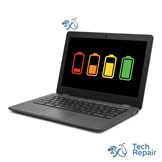 Battery Replacement$99 - $129Won't hold a charge, dies when unplugged, or a swollen battery.
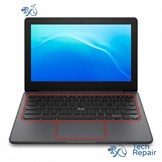 Keyboard & Trackpad Replacement$99 - $129Missing or sticky keys, dead keyboard, or a trackpad that won't click.
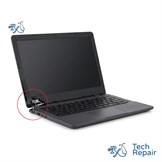 Hinge & Frame Repair$129 hinge onlyBroken hinges, cracked casing, or a lid that won't open or close.
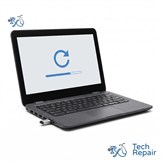 ChromeOS Recovery & Software$79"ChromeOS is missing or damaged," boot loops, and slow Chromebooks.
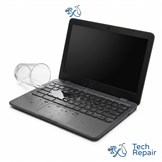 Water Damage RepairFree diagnosisWater, coffee, juice or soda spilled on your Chromebook.
See all of our Chromebook repair services.
Frequently Asked Questions
What should I do if I spilled liquid on my Chromebook?
Turn it off right away by holding the Power button, unplug the charger, wipe off what you can, and set it upside down in a tent shape so liquid drains out. Don't turn it back on or charge it. Bring it in as soon as you can so we can clean it before corrosion sets in.
Should I put my wet Chromebook in rice?
No. Rice doesn't remove the minerals and sugar that liquid leaves behind, and those are what cause corrosion. Rice dust can also get into the ports. Opening the Chromebook and cleaning the board is what actually stops the damage.
Can a water-damaged Chromebook be fixed?
Often, yes, especially when it's turned off quickly and brought in soon after the spill. Results depend on the liquid, how long it sat and which parts were affected, so we diagnose it for free and tell you what's repairable and what it will cost before doing any work.
How much does Chromebook water damage repair cost?
It depends on what the liquid damaged. Some Chromebooks only need cleaning, while others need a new keyboard, battery or board. Diagnosis is free, and we'll give you a price before any repair.