


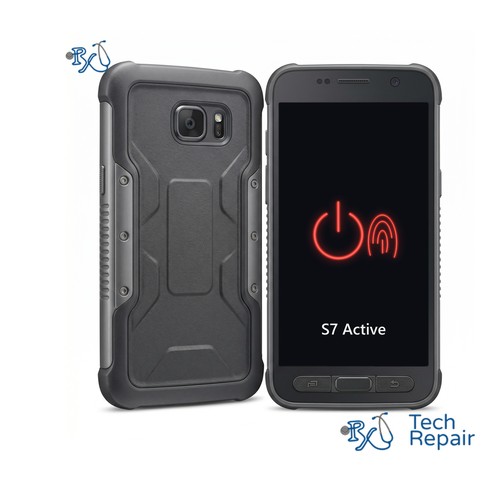
Samsung Galaxy S7 Active Fingerprint Sensor Repair
Model Numbers: SM-G891A
Turnaround: Part arrives in 1–2 business days, then a couple of hours
Warranty: 1 year
Samsung Galaxy S7 Active Fingerprint Sensor Repair – Mission Viejo & Orange County
We replace the fingerprint sensor or its flex cable and help you register your fingerprints again.
-
Turnaround: We order the part for your repair. Most parts arrive in 1–2 business days, and we finish most repairs the day the part arrives.
-
Free Diagnosis: Not sure what's wrong? We'll check your phone for free and give you the price before we start.
Signs You Need This Repair
- The fingerprint sensor doesn't recognize you anymore.
- Settings won't let you add a fingerprint.
Get Your Samsung Galaxy S7 Active Fixed in Mission Viejo
Live in Orange County? Visit our local store conveniently located at the corner of La Paz and Marguerite (near the Mission Viejo Library).
Ways to Repair:
-
In-Store Drop-Off: Book a drop-off time or walk in during business hours. Back up your phone first if you can, and bring it with its passcode or PIN so we can test everything afterwards.
-
Uber Courier Drop-off: Contact us first to schedule a repair. Use the Uber app and select courier at the top. Deliver to "RxTech Repair". We will send it back the same way sealed in a box to your address. Return Courier service fee will be added onto the repair cost. You pay exactly what we pay which depends on the time of day and distance from the store. Ask us for a quote for your specific address.
Mail-In Repair from Anywhere in the US
Not in OC? Mail-in repairs are welcome.
-
Contact us: Call or text (949) 903-6452 to confirm the repair, then click the "Buy Now" button above.
-
Ship: Pack the phone in a sturdy box with plenty of padding and send it to us by USPS, FedEx or UPS using our shipping instructions.
-
Relax: The turnaround time above starts the day your phone arrives. We'll text you when it's done and ship it back.
Why Choose Us?
- Upfront Prices: The price on this page includes parts and labor. If we find anything else, we'll call you before doing any extra work.
- Your Data Stays Put: We don't reset or erase your phone for a repair, and we'll tell you first if anything could affect your data.
- 5 Star Rated on Google & Yelp: We'll do our best to make you a believer too.
- Serving Mission Viejo since 2016: We've been here a decade and aren't planning on going anywhere.
Not sure which model you have?
Open Settings > About phone. The model name and the model number (it starts with SM-, for example SM-G891A) are at the top. If the screen doesn't work, the model number is on the box or on the SIM tray label on some models.
Still under Samsung's warranty?
If your phone is still under Samsung's warranty or Samsung Care+ and wasn't dropped or damaged, check with Samsung first. A repair by an independent shop may affect that warranty.
RxTech Repair is an independent repair shop and is not affiliated with Samsung. Samsung and Galaxy are trademarks of Samsung Electronics Co., Ltd.