


Desktop Power Supply (PSU) Replacement
Desktop PC completely dead, clicking when you press power, smelling burnt, or shutting off mid-game? RxTech Repair tests and replaces desktop and gaming PC power supplies (PSUs) in Mission Viejo, CA with free in-store diagnosis.
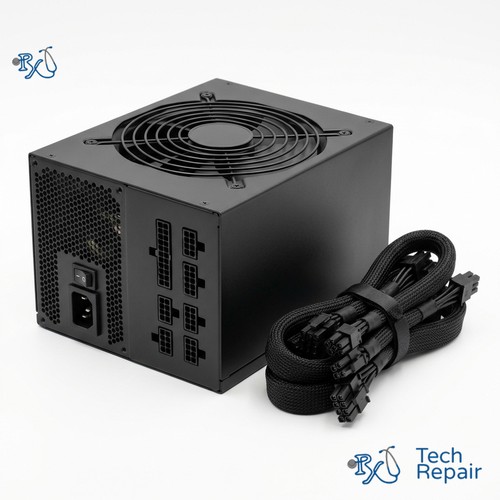
PSU Types: Standard ATX, SFX, Semi-Modular & Full-Modular 80+ Bronze/Gold/Platinum
Diagnosis: Free in-store PSU load & voltage test
Warranty: 1 year on parts and labor
Desktop PC Power Supply (PSU) Replacement
A failing power supply is one of the most common reasons a desktop PC won't turn on—or randomly reboots the moment a game or heavy app loads the graphics card. We test your existing PSU rails for free, size the right wattage for your CPU and GPU, and cleanly route every cable.
Signs of a failing desktop power supply
- Nothing happens when you press the power button—no fans, no lights
- Fans spin up for a split second and immediately shut off (power cycling)
- Sudden black-screen shutdowns when launching games or rendering video
- Loud PSU fan grinding, electrical buzzing, or a burnt electronics smell
- Upgrading to a newer RTX/Radeon GPU that requires higher wattage or a 12VHPWR / 12V-2x6 connector
PSU Replacement Prices
| PSU Replacement Option | Price |
| Installation & cable management labor Bring your own PSU or have us supply one | $89 labor |
| Typical total — Standard office/home desktop (500W–600W) Includes reliable 80+ Bronze PSU + installation | $149 - $179 |
| Typical total — Gaming / workstation PC (750W–1000W+ Gold) Includes high-efficiency modular PSU + clean cable routing | $199 - $279+ |
Important Modular PSU Safety Note
Never reuse modular power cables from an old power supply with a new PSU—even from the same brand. Pinouts vary and mismatched cables can instantly fry SSDs and motherboards. We always swap and route the matched cable set safely.
How to Get Service in Mission Viejo
Drop off in store (Free Diagnosis)
Bring your desktop PC or laptop to RxTech Repair at 27001 La Paz Road Suite 402B, Mission Viejo, CA 92691. In-store diagnosis is free, and we'll give you a clear, upfront quote before any work begins. We serve all of South Orange County, including Lake Forest, Laguna Hills, Laguna Niguel, Aliso Viejo, Rancho Santa Margarita, Ladera Ranch, San Juan Capistrano, Coto de Caza and Irvine. Call or text (949) 903-6452 or book a drop-off time online.
In-Stock vs. Special-Order Parts
We keep most SSDs and hard drives 1TB or less in stock for fast turnaround. If we need to order specific components for your computer (such as RAM kits, GPUs, power supplies, motherboards, coolers, or 2TB+ drives), we require a 50% deposit upfront to order the parts, with the remaining 50% due upon completion.
Warranty
Hardware parts we install and our hardware labor carry a 1-year limited warranty. See our warranty page for full terms.
Ways to Pay
In store, we accept cash, all 4 major credit cards, Venmo, Zelle, PayPal, Apple Pay, Google Pay and Samsung Pay.
More PC Upgrades & Desktop Services
 SSD Upgrade & Drive Cloning$129 - $529+Clone your old drive to a fast NVMe or SATA SSD without losing apps or files.
 RAM / Memory Upgrade$79 - $129 + RAMUpgrade desktop or laptop memory for smoother multitasking and gaming.
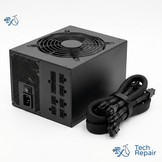 Desktop Power Supply (PSU) Replacement$89 + PSUDesktop PC won't turn on or shuts down under load? Standard & gaming PSUs.
 Desktop & Gaming PC Upgrades$79 - $199 laborGPU, CPU/AIO cooler, motherboard, case swaps and thermal repaste.
 Custom PC Build & Assembly$199 - $249Bring your parts for clean assembly, cable management, BIOS & Windows setup.
 Windows 10 to Windows 11 Upgrade$119Compatibility check, data safeguard, and smooth upgrade to Windows 11.
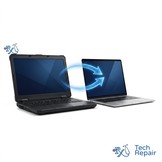 New Computer Setup & Migration$129 - $149Debloat, migrate files/photos/emails from your old PC, and set up printers.
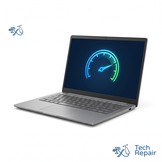 Slow Computer Tune-Up$99Startup cleanup, Windows & driver updates, and full hardware health check.
See all PC & Windows Services, or visit Laptop Repairs for screens, batteries, hinges and laptop hardware.
Frequently Asked Questions
How much does desktop power supply replacement cost?
Labor is $89 plus the cost of the power supply. With a standard 500W–600W PSU, total cost is typically $149 to $179. With a 750W–1000W 80+ Gold gaming PSU, total cost is typically $199 to $279+.
Can you test my PSU before I buy a new one?
Yes—in-store diagnosis is free. We test your power supply and check whether the motherboard or GPU is the actual cause before replacing anything.
Do you replace proprietary Dell, HP or Lenovo desktop power supplies?
Yes. Many prebuilt Dell, HP and Lenovo towers use non-standard dimensions or connectors—we source the exact compatible OEM unit for your model.
Independent Repair Notice: RxTech Repair is an independent repair shop and is not affiliated with, authorized by, or endorsed by HP, Dell, Lenovo, ASUS, Acer, MSI, Toshiba, Razer, Samsung, Microsoft, or any other manufacturer mentioned on this page. All brand names, product names, and trademarks belong to their respective owners and are used for identification purposes only.