


Laptop Fan, Overheating & Thermal Paste Service
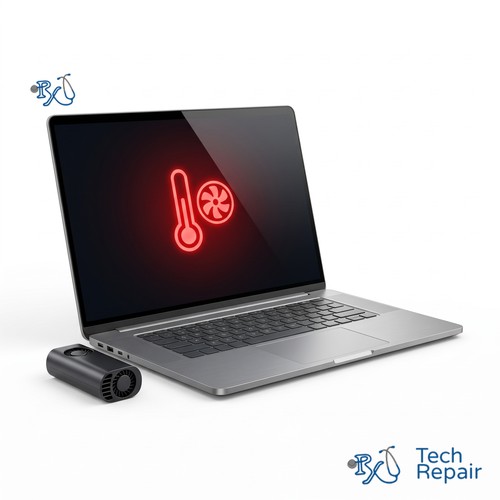
Laptop running hot, fans screaming at full speed, rattling, or slowing down in games and video calls? RxTech Repair cleans clogged heatsinks, replaces dried thermal paste (with an optional Honeywell PTM7950 upgrade), and replaces failing fans in Mission Viejo, CA.
Thermal Upgrade: Optional Honeywell PTM7950 phase-change pad (+$29)
Diagnosis: Free in-store diagnosis
Warranty: 1 year on replacement fans and labor
Laptop Overheating, Fan & Thermal Paste Service
After 1 to 3 years of use, laptop heatsinks pack with dust and factory thermal paste dries out and pumps off the CPU and GPU dies. The result is loud fans, uncomfortable heat, sudden shutdowns, and heavy thermal throttling. A full internal cleaning and repaste brings temperatures—and performance—back down.
Honeywell PTM7950 Phase-Change Upgrade (+$29)
Want the best long-term cooling for a gaming laptop or high-wattage workstation? Upgrade from standard thermal paste to genuine Honeywell PTM7950 phase-change thermal material for just $29 more. Unlike traditional paste that can pump out of bare-die laptop chips over months of heat cycles, PTM7950 stays stable for years and delivers top-tier CPU/GPU temperatures without the risks of conductive liquid metal.
Laptop Cooling & Fan Service Prices
| Service | Price |
| Internal dust cleaning & standard thermal paste repaste Full disassembly of heatsink, vent clearing, CPU & GPU repaste | $99 |
| Honeywell PTM7950 thermal pad upgrade Add-on to cleaning/repaste or fan replacement ($128 total with cleaning) | +$29 |
| Cooling fan replacement (single or dual fan) For grinding, rattling, seized or "Fan Error" laptops (includes cleaning & repaste) | $129 - $169 |
Have a hot desktop or gaming tower instead? See our Desktop & Gaming PC Repair & Upgrades page.
How to Get Your Laptop Repaired
In store in Mission Viejo (Free Diagnosis)
Bring your laptop to RxTech Repair at 27001 La Paz Road Suite 402B, Mission Viejo, CA 92691. In-store diagnosis is free, and we'll confirm the exact price for your model before starting any work. We serve all of South Orange County, including Lake Forest, Laguna Hills, Laguna Niguel, Aliso Viejo, Rancho Santa Margarita, Ladera Ranch, San Juan Capistrano, Coto de Caza and Irvine. Call or text (949) 903-6452 to schedule, or walk in during business hours.
Special-Order Parts Deposit
When a replacement part needs to be ordered for your specific laptop model, we collect a 50% deposit upfront to place the order, and the remaining 50% balance is due upon completion when you pick up your repaired laptop.
Mail-in from anywhere in the US
Call, text or contact us with your laptop's make and model for a quote, then ship it to us using our shipping instructions. We'll fix it and ship it back to you by standard shipping for free.
Warranty
Hardware laptop repairs come with a 1-year limited warranty on the parts we install and our labor. See our warranty page for details.
Ways to Pay
In store, we accept cash, all 4 major credit cards, Venmo, Zelle, PayPal, Apple Pay, Google Pay and Samsung Pay.
Other Laptop Repairs
 Laptop Screen & LCD Replacement$149 - $399+Cracked LCD, broken glass, lines, black screen, or touch screen and 2-in-1 displays.
 Laptop Battery Replacement$129 - $189Battery won't hold a charge, dies when unplugged, or swollen laptop battery.
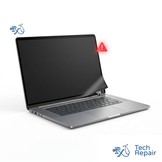 Laptop Hinge & Frame Repair$139 - $249+Broken hinges, separating screen bezel, cracked back cover, or loose lid.
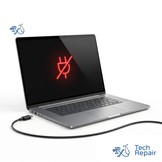 Laptop Charging Port Repair$119 - $279Loose, bent or broken USB-C or DC power jack. $119 modular, $169 underside of board, $279 soldered.
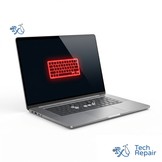 Keyboard & Trackpad Replacement$119 - $219Missing or sticky keys, dead keyboard after a spill, or trackpad that won't click.
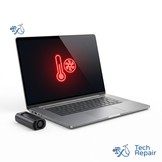 Fan, Overheating & Thermal Paste$99 - $169Loud fan, hot laptop, thermal throttling. Optional +$29 Honeywell PTM7950 upgrade.
 Laptop Water Damage RepairFree diagnosisWater, coffee, soda or liquid spilled on your laptop. Free in-store evaluation.
 Motherboard & No-Power RepairFree diagnosisLaptop won't turn on, no lights, or dead motherboard. Free in-store diagnosis.
See all of our Laptop Repair services, or visit PC & Windows Services for SSD upgrades, RAM upgrades and Windows troubleshooting.
Frequently Asked Questions
How much does laptop cleaning and thermal paste replacement cost?
Internal dust cleaning and standard thermal paste replacement is $99. You can upgrade to Honeywell PTM7950 phase-change thermal material for $29 more ($128 total). If a cooling fan needs to be replaced, total cost is $129 to $169 depending on whether your laptop uses one or two fans.
What is Honeywell PTM7950 and is it worth the $29 upgrade?
PTM7950 is an industrial phase-change thermal pad used in high-end gaming laptops. It resists 'pump-out' on bare CPU/GPU dies far better than standard paste, keeping temperatures lower for much longer—especially on gaming laptops like ASUS ROG, Lenovo Legion, MSI, Razer, and Alienware.
How long does cleaning and repasting take?
Cleaning and thermal paste/PTM7950 service is typically done same day or next day. If a specific replacement fan needs to be ordered, parts usually arrive in 1 to 2 business days.
Independent Repair Notice: RxTech Repair is an independent repair shop and is not affiliated with, authorized by, or endorsed by HP, Dell, Lenovo, ASUS, Acer, MSI, Toshiba, Razer, Samsung, Microsoft, or any other manufacturer mentioned on this page. All brand names, product names, and trademarks belong to their respective owners and are used for identification purposes only.