


New Computer Setup & Data Migration
Just bought a new laptop or desktop and don't want the headache of setting it up and moving years of photos, documents and emails? Bring both computers to RxTech Repair in Mission Viejo and pick up a clean, ready-to-use PC.
Turnaround: Typically same day or next day
In-Store Help: Drop off both your old and new computers
New PC & Laptop Setup Without the Hassle
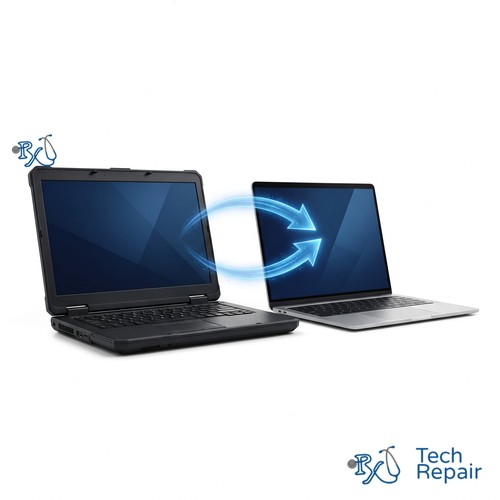
Brand-new computers come packed with trialware, pop-ups, and hours of pending Windows updates. We set up your new computer cleanly, strip out unwanted bloatware, and move your important files over from your old machine.
New Computer Setup Pricing
| Setup Option | Price |
| New Computer Setup (No Data Transfer) Initial Windows setup, bloatware removal, Windows & driver updates, browser/email/Office install | $129 |
| New Computer Setup + Old PC Data Migration Everything above plus transferring your documents, photos, music, desktop & browser bookmarks from your old PC | $149 |
Need to transfer data only without a new setup? See our Hard Drive Data Transfer page.
How to Get Service in Mission Viejo
Drop off in store (Free Diagnosis)
Bring your desktop PC or laptop to RxTech Repair at 27001 La Paz Road Suite 402B, Mission Viejo, CA 92691. In-store diagnosis is free, and we'll give you a clear, upfront quote before any work begins. We serve all of South Orange County, including Lake Forest, Laguna Hills, Laguna Niguel, Aliso Viejo, Rancho Santa Margarita, Ladera Ranch, San Juan Capistrano, Coto de Caza and Irvine. Call or text (949) 903-6452 or book a drop-off time online.
In-Stock vs. Special-Order Parts
We keep most SSDs and hard drives 1TB or less in stock for fast turnaround. If we need to order specific components for your computer (such as RAM kits, GPUs, power supplies, motherboards, coolers, or 2TB+ drives), we require a 50% deposit upfront to order the parts, with the remaining 50% due upon completion.
Warranty
Hardware parts we install and our hardware labor carry a 1-year limited warranty. See our warranty page for full terms.
Ways to Pay
In store, we accept cash, all 4 major credit cards, Venmo, Zelle, PayPal, Apple Pay, Google Pay and Samsung Pay.
More PC Upgrades & Desktop Services
 SSD Upgrade & Drive Cloning$129 - $529+Clone your old drive to a fast NVMe or SATA SSD without losing apps or files.
 RAM / Memory Upgrade$79 - $129 + RAMUpgrade desktop or laptop memory for smoother multitasking and gaming.
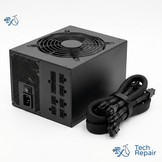 Desktop Power Supply (PSU) Replacement$89 + PSUDesktop PC won't turn on or shuts down under load? Standard & gaming PSUs.
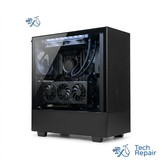 Desktop & Gaming PC Upgrades$79 - $199 laborGPU, CPU/AIO cooler, motherboard, case swaps and thermal repaste.
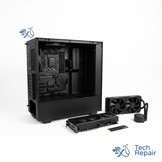 Custom PC Build & Assembly$199 - $249Bring your parts for clean assembly, cable management, BIOS & Windows setup.
 Windows 10 to Windows 11 Upgrade$119Compatibility check, data safeguard, and smooth upgrade to Windows 11.
 New Computer Setup & Migration$129 - $149Debloat, migrate files/photos/emails from your old PC, and set up printers.
 Slow Computer Tune-Up$99Startup cleanup, Windows & driver updates, and full hardware health check.
See all PC & Windows Services, or visit Laptop Repairs for screens, batteries, hinges and laptop hardware.
Frequently Asked Questions
How much does new computer setup and data transfer cost?
New computer setup is $129, or $149 including full file, photo, document and bookmark migration from your old computer.
Can you transfer my data if my old computer won't turn on?
Usually yes—we can pull the drive from your old computer and copy your files directly onto your new machine.
What should I bring when I drop off my computers?
Bring your new computer, your old computer (with chargers), and any login info for Microsoft 365, email, or software you'd like installed.
Independent Repair Notice: RxTech Repair is an independent repair shop and is not affiliated with, authorized by, or endorsed by HP, Dell, Lenovo, ASUS, Acer, MSI, Toshiba, Razer, Samsung, Microsoft, or any other manufacturer mentioned on this page. All brand names, product names, and trademarks belong to their respective owners and are used for identification purposes only.