



Surface Pro 11 Repairs
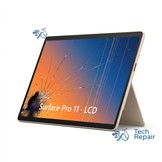
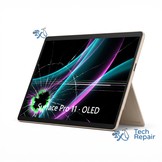
Cracked screen or a battery that won't last? We repair both the LCD and OLED versions of the Surface Pro 11. Check which screen yours has below before you buy.
The Surface Pro 11th Edition came out in June 2024 as Microsoft's first Copilot+ PC Surface Pro, with Qualcomm Snapdragon X Plus or Snapdragon X Elite processors, and in February 2025 as the Surface Pro for Business 11th Edition with Intel Core Ultra (Series 2) processors. It has a 13-inch 2880 x 1920, 120Hz touchscreen, and that screen is either an LCD (Snapdragon X Plus or Core Ultra 5 models) or an OLED (Snapdragon X Elite or Core Ultra 7 models). It comes in Platinum, Black, Sapphire and Dune.
- Fits: Microsoft Surface Pro, 11th Edition, model 2076 (Wi-Fi), 2085 (for Business), 2077 (5G), 2103 (Intel for Business) under the kickstand.
- In stock: the LCD screen and the LCD-model battery for Snapdragon models. The OLED screen is ordered and usually arrives in about 5 business days. For the Intel business model (2103) we order every part, which takes 5-6 business days.
- Your data: the SSD stays in your Surface, so your files and apps are untouched.
- Service options: by appointment at our Mission Viejo shop, or nationwide mail-in repair from anywhere in the US.
Which Surface Pro do I have?
The Surface Pro 9, 10, 11 and the 2026 Surface Pro 12 all look almost the same from the front: a 13-inch screen, a kickstand and two USB-C ports. Their screens and batteries are different parts, so check your model before you buy.
| Surface Pro 9 | Surface Pro 10 | Surface Pro 11 this page | Surface Pro 12 (13-inch) | |
|---|---|---|---|---|
| Released | October 2022 | April 2024 (business only) | June 2024 (Intel for Business: Feb 2025) | June 2026 |
| Name in Settings > System > About | Surface Pro 9 | Surface Pro 10 for Business | Microsoft Surface Pro, 11th Edition (Intel: Surface Pro for Business 11th Edition with Intel) | Surface Pro 13in 12th Ed |
| Processor | 12th Gen Intel Core i5 or i7, or Microsoft SQ3 (5G) | Intel Core Ultra 5 135U or Core Ultra 7 165U | Snapdragon X Plus or Snapdragon X Elite (no “X2”), or Intel Core Ultra 5 236V/238V or Core Ultra 7 266V/268V | Snapdragon X2 Plus or X2 Elite, or a newer Intel Core Ultra |
| Number under the kickstand | 2038 5G: 1996, 1997 | 2079 5G: 2077 | 2076, 2085 5G: 2077 Intel: 2103 | 2076, 2085, 2103 5G: 2077 |
| Colors | Platinum, Graphite, Sapphire, Forest | Platinum, Black | Platinum, Black, Sapphire, Dune | Platinum, Black, Dune |
| Screen | LCD | LCD | LCD (X Plus, Core Ultra 5) or OLED (X Elite, Core Ultra 7) | LCD or OLED |
1. Look under the kickstand. Open the kickstand all the way. A 4-digit model number is printed in small gray text near the bottom edge of the tablet. 2079 is always a Surface Pro 10 and 2038 is always a Surface Pro 9. Microsoft reused 2076, 2085, 2077 and 2103 on the Surface Pro 10 5G, the Surface Pro 11 and the 2026 Surface Pro 12, so with those numbers go on to step 2.
2. Check Settings. If it turns on, open Settings > System > About. The model name is at the top, under the device name, and the processor is under Device specifications. An Intel Core Ultra 135U or 165U is a Surface Pro 10. A Snapdragon X Plus or X Elite, or an Intel Core Ultra 5 236V/238V or Core Ultra 7 266V/268V, is a Surface Pro 11. A Snapdragon X2 is the newer Surface Pro 12.
3. Still not sure, or the screen is black? Text a photo of the number under the kickstand to (949) 903-6452, or bring it in. We check every Surface before we order or fit a part, so you won't pay for the wrong one.
LCD or OLED? (Surface Pro 11)
The Surface Pro 11 was sold with two different screens, and the two are not interchangeable: an LCD and an OLED. They look the same when the tablet is off. Here's how to tell yours:
- Processor (easiest): in Settings > System > About, a Snapdragon X Plus means the LCD screen and a Snapdragon X Elite means the OLED screen. On the Intel business model, a Core Ultra 5 (236V, 238V) has the LCD and a Core Ultra 7 (266V, 268V) has the OLED.
- Box or receipt: OLED models have “OLED” in the product name on the box and the order.
- Black-screen test (if the screen still lights up): in a dark room, turn the brightness all the way up and open an all-black picture full screen. On the LCD the black glows dark gray, often brighter near the edges. On the OLED the black parts are completely off and blend into the black border around the screen.
We check the screen type before we start. If you picked the wrong one, we switch you to the right repair and settle the price difference before any work is done.
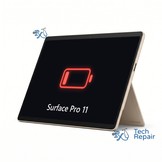
The LCD and OLED models also use different batteries. We replace the battery on LCD models only; we don't offer the OLED-model battery at the moment.
Surface Pro for Business 11th Edition with Intel (model 2103): we repair it too, but we order its parts for each repair, which takes 5-6 business days. Pick the Intel model when you buy.
The smaller 12-inch Surface Pro (2025, models 2109 and 2110) is a different device. For other models, see our Surface repair page or call or text us at (949) 903-6452.
Surface Pro 11 Repair FAQs
Which Surface Pro do I have?
Look under the kickstand for the 4-digit model number and check Settings > System > About. The Surface Pro 11 shows Microsoft Surface Pro, 11th Edition (Intel: Surface Pro for Business 11th Edition with Intel) with a Snapdragon X Plus or X Elite, or Intel Core Ultra 5/7 (236V-268V) processor and model number 2076, 2085, 2077 or 2103 under the kickstand. Microsoft reused some model numbers on other Surface Pros, so check the processor too.
Does my Surface Pro 11 have an LCD or OLED screen?
Check the processor in Settings > System > About: Snapdragon X Plus and Intel Core Ultra 5 models have the LCD screen, and Snapdragon X Elite and Intel Core Ultra 7 models have the OLED screen. The two screens are different parts and cost different amounts.
Can you replace the battery on an OLED Surface Pro 11?
Not at the moment. The OLED model uses a different battery, which we don't offer right now. We replace the battery on LCD models.
Do you repair the Intel Surface Pro 11 for Business?
Yes. The Surface Pro for Business 11th Edition with Intel (model 2103) takes the same repairs, but we order its parts, which takes 5-6 business days. Pick the Intel model when you buy.
How much does a Surface Pro 11 screen replacement cost?
$569.99 (LCD) or $629 (OLED), including parts and labor.
How long does a Surface Pro 11 repair take?
Every repair takes 1 day once we have the part. Screens and batteries we keep in stock are done in 1 day. The OLED screen is ordered for your repair and usually arrives in about 5 business days. For the Intel business model (2103) we order every part, which takes 5-6 business days.
Can I mail in my Surface Pro 11?
Yes. Buy the repair on its page, ship your Surface to us from anywhere in the US, and we'll repair it and ship it back. Standard return shipping is free.
Will I lose my data?
No. Screen and battery replacements don't touch the SSD. We still recommend a backup before any repair.