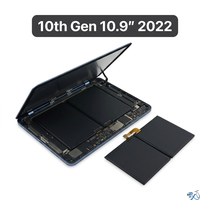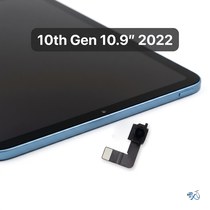



iPad 10th Gen Data Recovery
Model Numbers: A2696 (Wi-Fi), A2757, A2777 or A3162 (Wi-Fi + Cellular) (printed on the back under "iPad")
Turnaround: About 2 weeks • board-level diagnosis and recovery
Availability: In Stock
Only charged if we recover your data
Nothing to pay up front. We only charge the $299 if we get your data back.
Local: call (949) 903-6452 or text us to book a drop-off in Mission Viejo.
Mail-in: fill out our mail-in form, then ship your iPad to us.
Start a mail-in recoveryiPad 10th Gen Data Recovery Description
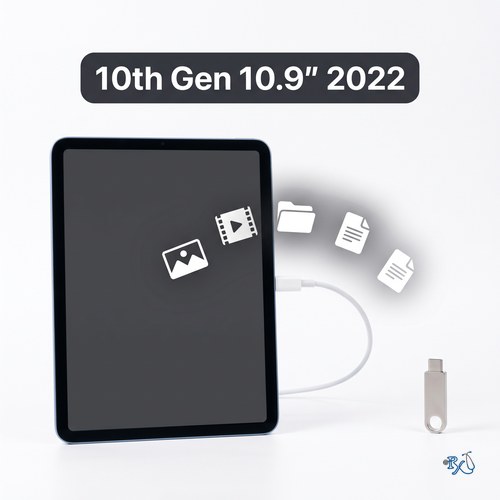
When an iPad 10th Gen won't turn on, is stuck on the Apple logo or in a restart loop, or has a screen so damaged you can't use it, your photos, videos, notes and files are usually still on the iPad's storage. Data recovery is different from a normal repair: we work on the logic board to get the iPad running long enough to back up your data. Sometimes that's possible and sometimes it isn't, which is why there's nothing to pay up front, and you're only charged the $299 if we get your data back. If we can't, there's no charge for the recovery; mail-in customers only pay for return shipping.
Please note: we need your iPad's passcode, because iPad storage is encrypted and can't be read without it. We can't recover files you deleted on purpose, and this service doesn't remove an Apple Account or Activation Lock.
Symptoms this repair should fix:
- iPad won't turn on or charge
- Stuck on the Apple logo or restarting over and over
- Screen too damaged to back up the iPad yourself
- iPad stopped working after a drop or liquid damage
Ship your iPad 10th Gen to us from anywhere in the US!
Fill out our mail-in form and ship your iPad to us. There's nothing to pay up front: once we've recovered your data, we'll send you an invoice for $299, and then ship your iPad back. If we can't recover your data, there's no charge for the recovery and you only pay for return shipping.
Get your iPad repaired in Orange County, CA!
Turnaround for this repair is about 2 weeks. Feel free to come to our storefront in Mission Viejo if you are close by. An appointment is recommended.
Let our experienced technicians fix your device.
Our technicians have done over 30,000 iOS device repairs, so your iPad 10th Gen is in good hands.
Find Out Which iPad Model You Have
The iPad 10th Gen is also called the iPad (10th generation) or the iPad 10.9-inch (2022). It looks almost the same as several other iPads, including the iPad 11th Gen, so check the model number before you buy a repair. The iPad 10th Gen model numbers are A2696 (Wi-Fi), A2757, A2777 and A3162 (Wi-Fi + Cellular).
Option 1: Check in Settings
If your iPad still turns on and the screen works, open Settings > General > About. Next to Model Name you'll see "iPad (10th generation)". Next to Model Number you'll see a part number that ends in LL/A in the US. Tap that line once and it changes to the model number that starts with A, for example A2696.
Option 2: Look on the back of your iPad
If your iPad won't turn on or the screen is too damaged to use, turn it over. Under the word "iPad" on the back there are a few lines of small print. Look for the word "Model" followed by an A and four numbers, for example Model A2696.
Text too small to read?
Open the camera on your smartphone, point it at the small print on the back of your iPad and zoom in. You can also take a photo and zoom in on the picture. Good lighting helps, so try it near a window or a lamp.
iPads that look like the iPad 10th Gen:
iPad (10th generation, 2022): A2696, A2757, A2777 & A3162
iPad (A16, 2025): A3354, A3355 & A3356
iPad Air (4th generation, 2020): A2316, A2324, A2325 & A2072 (front camera on the short edge, laminated screen)
iPad Air (5th generation, 2022): A2588, A2589 & A2591 (front camera on the short edge, laminated screen)
iPad (9th generation, 2021): A2602, A2603, A2604 & A2605 (Home button below the screen)
If your model number isn't A2696, A2757, A2777 or A3162, find your iPad on our iPad repair page. Have an iPad (A16)? See our iPad 11th Gen repairs. Still not sure? Call or text us at (949) 903-6452 and we'll help you figure it out.
iPad 10th Gen Data Recovery FAQ
How much does an iPad 10th Gen Data Recovery cost?
The iPad 10th Gen Data Recovery at RxTech Repair is $299, and there's nothing to pay up front. You're only charged if we recover your data. If we can't, there's no charge for the recovery; mail-in customers only pay for return shipping.
How long does an iPad 10th Gen Data Recovery take?
Plan on about 2 weeks. Recovery usually means diagnosing and repairing the logic board first, and we test carefully before we copy anything. Mail-in iPads are shipped back once we're done.
Can I mail in my iPad 10th Gen for repair?
Yes. Fill out our mail-in form, then ship your iPad to RxTech Repair from anywhere in the US using USPS, UPS or FedEx. There's nothing to pay up front: we'll contact you once we know whether your data can be recovered. Start the mail-in form or see our shipping directions.
What does the iPad 10th Gen Data Recovery fix?
It gets your photos, videos and files off an iPad that won't turn on or can't be used, when that's possible. It doesn't recover files you deleted and doesn't remove Activation Lock.
What if you can't recover my data?
Then there's no charge for the recovery. If you mailed your iPad in, you only pay for shipping it back to you.
Which iPad models does this repair work on?
This repair is for the iPad 10th generation (10.9-inch, 2022), model numbers A2696, A2757, A2777 and A3162. The model number is printed in small text on the back of the iPad, under the word "iPad".