

iPad 10th Gen Charging Port Repair
Model Numbers: A2696 (Wi-Fi), A2757, A2777 or A3162 (Wi-Fi + Cellular) (printed on the back under "iPad")
Turnaround: About 2 weeks • microsoldering required
Availability: In Stock
iPad 10th Gen Charging Port Repair Description
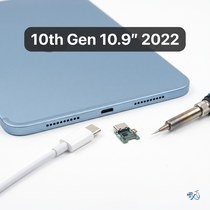
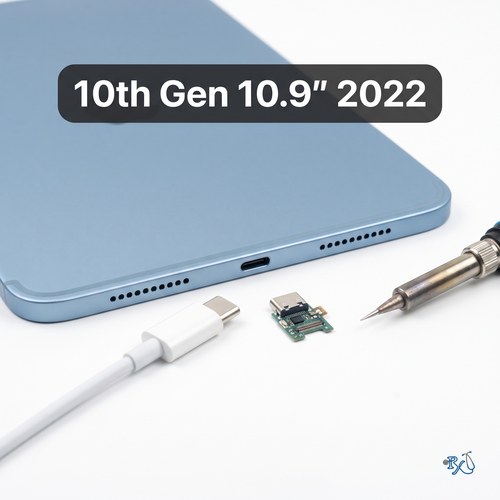
The USB-C charging port is on the bottom edge of the iPad 10th Gen. When it fails, you might have to wiggle the cable to get it to charge, it might charge on and off, only work with one cable, or not charge at all. On this model the USB-C port is soldered to the logic board instead of being a plug-in part, so replacing it is a microsoldering job. That's why this repair takes about 2 weeks.
Before you send it in, try a different USB-C cable and power adapter, and gently clean any lint out of the port with a wooden toothpick. If it's just debris, we'll tell you. Like any board-level repair it isn't always possible; if we can't get your iPad to charge, you won't be charged for the repair.
Symptoms this repair should fix:
- You have to wiggle or hold the cable to get it to charge
- Charges on and off, or only with one specific cable
- Doesn't charge at all or isn't recognized by a computer
- The USB-C cable feels loose or falls out of the port
Ship your iPad 10th Gen to us from anywhere in the US!
Simply buy the repair using a credit card or PayPal using the button above, ship your iPad to us, and we'll take care of the rest! We cover return shipping to you for free via standard shipping. If you need expedited 2-day return shipping, you have that option above for an additional fee.
Get your iPad repaired in Orange County, CA!
Turnaround for this repair is about 2 weeks (microsoldering required). Feel free to come to our storefront in Mission Viejo if you are close by. An appointment is recommended.
Let our experienced technicians fix your device.
Our technicians have done over 30,000 iOS device repairs, so your iPad 10th Gen is in good hands.
Find Out Which iPad Model You Have
The iPad 10th Gen is also called the iPad (10th generation) or the iPad 10.9-inch (2022). It looks almost the same as several other iPads, including the iPad 11th Gen, so check the model number before you buy a repair. The iPad 10th Gen model numbers are A2696 (Wi-Fi), A2757, A2777 and A3162 (Wi-Fi + Cellular).
Option 1: Check in Settings
If your iPad still turns on and the screen works, open Settings > General > About. Next to Model Name you'll see "iPad (10th generation)". Next to Model Number you'll see a part number that ends in LL/A in the US. Tap that line once and it changes to the model number that starts with A, for example A2696.
Option 2: Look on the back of your iPad
If your iPad won't turn on or the screen is too damaged to use, turn it over. Under the word "iPad" on the back there are a few lines of small print. Look for the word "Model" followed by an A and four numbers, for example Model A2696.
Text too small to read?
Open the camera on your smartphone, point it at the small print on the back of your iPad and zoom in. You can also take a photo and zoom in on the picture. Good lighting helps, so try it near a window or a lamp.
iPads that look like the iPad 10th Gen:
iPad (10th generation, 2022): A2696, A2757, A2777 & A3162
iPad (A16, 2025): A3354, A3355 & A3356
iPad Air (4th generation, 2020): A2316, A2324, A2325 & A2072 (front camera on the short edge, laminated screen)
iPad Air (5th generation, 2022): A2588, A2589 & A2591 (front camera on the short edge, laminated screen)
iPad (9th generation, 2021): A2602, A2603, A2604 & A2605 (Home button below the screen)
If your model number isn't A2696, A2757, A2777 or A3162, find your iPad on our iPad repair page. Have an iPad (A16)? See our iPad 11th Gen repairs. Still not sure? Call or text us at (949) 903-6452 and we'll help you figure it out.
iPad 10th Gen Charging Port Repair FAQ
How much does an iPad 10th Gen Charging Port Repair cost?
The iPad 10th Gen Charging Port Repair at RxTech Repair is $179, including parts and labor. Mail-in repairs include free standard return shipping.
How long does an iPad 10th Gen Charging Port Repair take?
Plan on about 2 weeks. The USB-C port on the iPad 10th Gen is soldered to the board, so this is a microsoldering repair rather than a simple part swap. Mail-in repairs are shipped back with free standard shipping once the repair is finished and tested.
Can I mail in my iPad 10th Gen for repair?
Yes. Buy the repair on this page, ship your iPad to RxTech Repair from anywhere in the US using USPS, UPS or FedEx, and we'll repair it and ship it back to you. See our shipping directions.
What does the iPad 10th Gen Charging Port Repair fix?
It replaces the damaged USB-C port with microsoldering, so the iPad charges and connects normally again.
Will I lose my data?
No. This repair doesn't touch your storage, so your photos, apps and files stay on the iPad. We still recommend backing up to iCloud or a computer before any repair.
Which iPad models does this repair work on?
This repair is for the iPad 10th generation (10.9-inch, 2022), model numbers A2696, A2757, A2777 and A3162. The model number is printed in small text on the back of the iPad, under the word "iPad".