

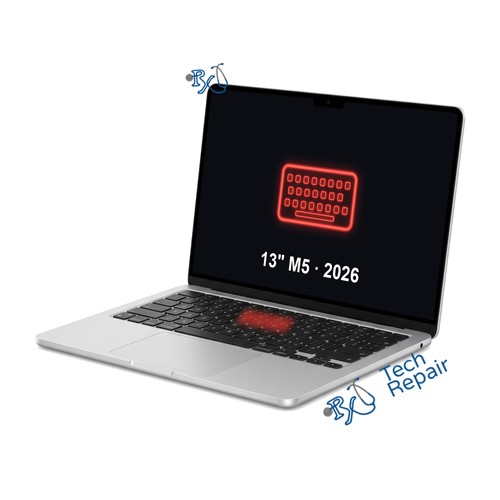
MacBook Air 13" M5 (2026) Keyboard Replacement
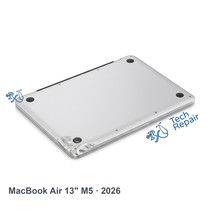
Model Numbers: A3449 (printed on the bottom case)
Turnaround: Out of stock right now, call or text us for an update
Availability: Out of stock
Out of stock. We can't take payment online until the part is back. Call or text us at (949) 903-6452 for an update.
MacBook Air 13" M5 (2026) Keyboard Replacement Description
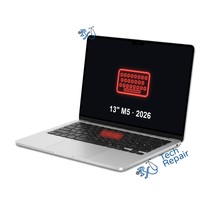
If keys on your MacBook Air 13-inch M5 don't respond, type twice, stick, or the keyboard stopped working after a spill, the keyboard needs replacing. Like the M2 Air, this model's keyboard is held in by screws and can be replaced on its own, without a whole new top case, which costs less. It's still a full teardown: the battery and logic board come out to reach it. We fit a new US keyboard with its backlight and keep your original Touch ID button, so Touch ID keeps working. Because the battery is out anyway, ask us about replacing a worn battery at the same time for less.
Symptoms this repair should fix:
- Keys don't respond or type twice
- Sticky or crunchy keys
- Keyboard stopped working after a spill
- Keyboard backlight not working
Mail-in repair:
This part is out of stock right now, so please call or text us at (949) 903-6452 before you ship your Mac. Once the part is back, we'll tell you when to send it, repair it and ship it back to you, with free standard return shipping.
Get your MacBook Air repaired in Orange County, CA!
For this repair this part is out of stock right now, so call or text us for an update on when it will be available. Feel free to come to our storefront in Mission Viejo if you are close by. An appointment is recommended.
Let our experienced technicians fix your device.
Our technicians have done over 30,000 repairs, so your MacBook Air is in good hands.
Find Out Which Mac You Have
The MacBook Air 13" M5 (2026) is Apple's 13-inch MacBook Air with the Apple M5 chip, released in 2026. Its model number is A3449. It comes in Silver, Starlight, Sky Blue and Midnight, has a flat body of even thickness, a 13.6-inch screen with a notch at the top, a MagSafe port and two USB-C ports on the left and a headphone jack on the right.
Option 1: Check About This Mac
If your Mac turns on, choose Apple menu > About This Mac. It should say MacBook Air (13-inch, M5, 2026) and Chip: Apple M5.
Option 2: Mac won't turn on?
Turn it over: the model number (A3449) is printed in small text on the bottom case. You can also bring it to our shop and we'll identify it for you.
Is it the 15-inch M5 instead?
The 15-inch (M5, 2026) looks the same but is a different size, and its model number is A3448. Its parts are different, so see our MacBook Air 15" M5 (2026) repairs.
Another MacBook Air with a different chip?
Check the model number on the bottom case: MacBook Air 13" M3 (2024) is A3113; MacBook Air 15" M3 (2024) is A3114; MacBook Air 13" M4 (2025) is A3240; MacBook Air 15" M4 (2025) is A3241. For the M2 Air, MacBook Air 13" M2 (2022) is A2681; MacBook Air 15" M2 (2023) is A2941. Parts differ between generations, so use the page that matches your number or call or text us for a quote.
If your Mac isn't a MacBook Air 13" M5 (2026), see our Mac repair page or call or text us at (949) 903-6452 and we'll help you figure it out.
MacBook Air 13" M5 (2026) Keyboard Replacement FAQ
How much does a MacBook Air 13" M5 (2026) Keyboard Replacement cost?
The MacBook Air 13" M5 (2026) Keyboard Replacement at RxTech Repair is $249.99, including parts and labor. Mail-in repairs include free standard return shipping.
How long does a MacBook Air 13" M5 (2026) Keyboard Replacement take?
This part is out of stock right now, so we can't give a date yet. Call or text us at (949) 903-6452 for an update on when it will be available.
Can I mail in my MacBook Air 13" M5 (2026) for repair?
Yes, once the part is back in stock. Call or text us at (949) 903-6452 and we'll tell you when to ship your MacBook Air to RxTech Repair, and we'll repair it and ship it back to you. See our shipping directions.
What does the MacBook Air 13" M5 (2026) Keyboard Replacement fix?
It replaces the keyboard and its backlight, so every key types normally again.
Will I lose my data?
No. This repair doesn't touch your storage, so your files, photos and apps stay on the Mac. We still recommend a Time Machine or iCloud backup before any repair.
Which Mac does this repair fit?
This repair is for the MacBook Air 13-inch (M5, 2026), model number A3449. To check yours, choose Apple menu > About This Mac, or look for the model number printed on the bottom case.