

MacBook Air 13" (Early 2015) Keycap Replacement
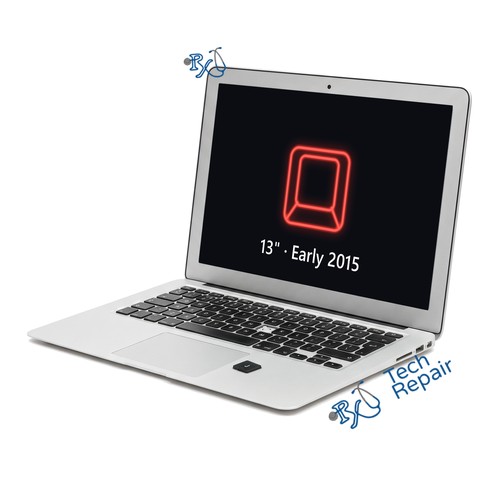
Model Numbers: A1466 (printed on the bottom case)
Turnaround: Part in stock, usually about 2 hours, same day in Mission Viejo, CA
Availability: In Stock
MacBook Air 13" (Early 2015) Keycap Replacement Description
If a key on your MacBook Air 13-inch (Early 2015) came off, is missing, wobbles or won't sit flat, the keycap usually needs replacing. We fit US keycaps for the main keyboard area. The price is $39.99 for one key and $15 for each additional key. This keyboard was made by two different suppliers with different clips, so we check which one yours uses. If the scissor clip under the key is broken too, or the key still doesn't type with a new cap, the Mac needs a keyboard replacement instead, and we'll tell you before doing anything more.
Symptoms this repair should fix:
- Key came off or is missing
- Key wobbles or sits crooked
- Cracked or worn, shiny keycap
- Pet or child pulled keys off
Ship your MacBook Air to us from anywhere in the US!
Simply buy the repair using a credit card or PayPal using the button above, ship your Mac to us, and we'll take care of the rest! We cover return shipping to you for free via standard shipping. If you need expedited 2-day return shipping, you have that option above for an additional fee.
Get your MacBook Air repaired in Orange County, CA!
For this repair the part is in stock, so it usually takes about 2 hours, same day. Feel free to come to our storefront in Mission Viejo if you are close by. An appointment is recommended.
Let our experienced technicians fix your device.
Our technicians have done over 30,000 repairs, so your MacBook Air is in good hands.
Find Out Which Mac You Have
The MacBook Air 13" (Early 2015) is Apple's 13-inch MacBook Air with an Intel processor, released in early 2015. Its model number is A1466. It comes only in silver and looks the same every year: a wedge shape, a silver aluminum border around the screen, a plain power key at the top right of the keyboard, a MagSafe 2 charging port, a USB-A port and a headphone jack on the left, and a Thunderbolt port, a second USB-A port and an SD card slot on the right.
Option 1: Check About This Mac
If your Mac turns on, choose Apple menu > About This Mac. It should say MacBook Air (13-inch, Early 2015) with an Intel processor.
Option 2: Mac won't turn on?
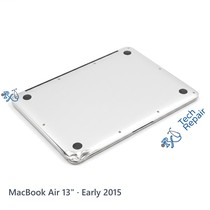
Turn it over: the model number (A1466) is printed in small text on the bottom case. Other years share that number, so if you can't check About This Mac, look up the serial number (also on the bottom case) on Apple's Check Coverage page, or bring the Mac to our shop and we'll identify it for you.
Same model number, different year?
The Mid 2012 uses a different screen, left I/O board, trackpad and top case from the 2013-2017 years, so the year matters for those repairs. See our MacBook Air 13" (2017), MacBook Air 13" (Early 2014), MacBook Air 13" (Mid 2013), MacBook Air 13" (Mid 2012) repairs if yours is another year.
Another MacBook Air?
Check the model number on the bottom case: MacBook Air 13" Intel (2020) is A2179; MacBook Air 13" Intel (2019) is A1932; MacBook Air 13" Intel (2018) is A1932; the MacBook Air M1 (2020) is A2337. Parts differ between generations, so use the page that matches your Mac or call or text us for a quote.
If your Mac isn't a MacBook Air 13" (Early 2015), see our MacBook Air repair page or call or text us at (949) 903-6452 and we'll help you figure it out.
MacBook Air 13" (Early 2015) Keycap Replacement FAQ
How much does a MacBook Air 13" (Early 2015) Keycap Replacement cost?
The MacBook Air 13" (Early 2015) Keycap Replacement at RxTech Repair is $39.99 for one key and $15 for each additional key, including parts and labor. Mail-in repairs include free standard return shipping.
How long does a MacBook Air 13" (Early 2015) Keycap Replacement take?
The part is in stock, so the repair usually takes about 2 hours, same day, at our Mission Viejo, CA shop. Mail-in repairs are usually done the same day your Mac arrives.
Can I mail in my MacBook Air 13" (Early 2015) for repair?
Yes. Buy the repair on this page, ship your MacBook Air to RxTech Repair from anywhere in the US using USPS, UPS or FedEx, and we'll repair it and ship it back to you. See our shipping directions.
What does the MacBook Air 13" (Early 2015) Keycap Replacement fix?
It replaces broken or missing keycaps, so every key sits flat and looks right again.
Will I lose my data?
No. This repair doesn't touch your storage, so your files, photos and apps stay on the Mac. We still recommend a Time Machine or iCloud backup before any repair.
Which Mac does this repair fit?
This repair is for the MacBook Air (13-inch, Early 2015), model number A1466. To check yours, choose Apple menu > About This Mac, or look for the model number printed on the bottom case.