

iPad Air 4 Power Button Repair
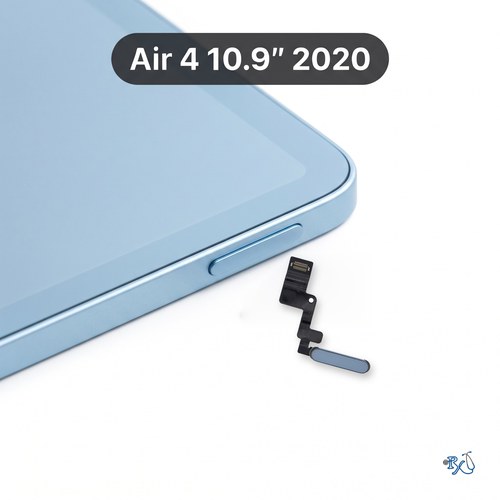
Model Numbers: A2316 (Wi-Fi), A2324, A2325 or A2072 (Wi-Fi + Cellular) (printed on the back under "iPad")
Turnaround: 1 business day in Mission Viejo, CA • 1 business day after arrival for mail-in
Availability: In Stock
Touch ID will not work after this repair
iPad Air 4 Power Button Repair Description
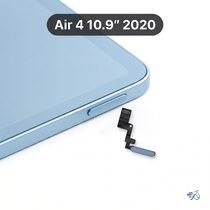
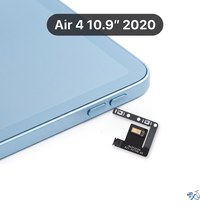
The top button on the iPad Air 4 does two jobs: it's the power (sleep/wake) button, and the Touch ID fingerprint sensor is built into it. If it doesn't click, feels stuck, or doesn't lock the screen or turn the iPad off, the button or its flex cable has usually worn out or been damaged by a drop.
Please note: Touch ID will not work after this repair. Apple pairs each Touch ID sensor to its iPad's logic board at the factory, so the replacement button clicks and works for power, lock and restart, but you'll unlock with your passcode instead of your fingerprint.
In the meantime you can turn on AssistiveTouch (Settings > Accessibility > Touch > AssistiveTouch) to lock the screen and restart your iPad without the button.
Symptoms this repair should fix:
- Top button doesn't click or feels stuck
- Pressing the button doesn't lock the screen
- Can't turn the iPad off or force-restart it
Ship your iPad Air 4 to us from anywhere in the US!
Simply buy the repair using a credit card or PayPal using the button above, ship your iPad to us, and we'll take care of the rest! We cover return shipping to you for free via standard shipping. If you need expedited 2-day return shipping, you have that option above for an additional fee.
Get your iPad repaired in Orange County, CA!
Turnaround for this repair is 1 business day. Feel free to come to our storefront in Mission Viejo if you are close by. An appointment is recommended.
Let our experienced technicians fix your device.
Our technicians have done over 30,000 iOS device repairs, so your iPad Air 4 is in good hands.
Find Out Which iPad Model You Have
The iPad Air 4 is the iPad Air (4th generation) (10.9-inch, 2020). It looks the same as the iPad Air 5 from the outside, and a lot like the iPad 10th Gen, so check the model number before you buy a repair. The iPad Air 4 model numbers are A2316 (Wi-Fi), A2324, A2325 and A2072 (Wi-Fi + Cellular).
Option 1: Check in Settings
If your iPad still turns on and the screen works, open Settings > General > About. Next to Model Name you'll see "iPad Air (4th generation)". Next to Model Number you'll see a part number that ends in LL/A in the US. Tap that line once and it changes to the model number that starts with A, for example A2316.
Option 2: Look on the back of your iPad
If your iPad won't turn on or the screen is too damaged to use, turn it over. Under the word "iPad" on the back there are a few lines of small print. Look for the word "Model" followed by an A and four numbers, for example Model A2316.
Text too small to read?
Open the camera on your smartphone, point it at the small print on the back of your iPad and zoom in. You can also take a photo and zoom in on the picture. Good lighting helps, so try it near a window or a lamp.
iPads that look like the iPad Air 4:
iPad Air (4th generation, 2020): A2316, A2324, A2325 & A2072
iPad Air (5th generation, 2022): A2588, A2589 & A2591 (same body, check the model number)
iPad Air 11-inch (M2, 2024 and later): front camera on the long edge
iPad (10th generation, 2022): A2696, A2757, A2777 & A3162 (front camera on the long edge, screen not laminated)
iPad (A16, 2025): A3354, A3355 & A3356 (front camera on the long edge, screen not laminated)
If your model number isn't A2316, A2324, A2325 or A2072, find your iPad on our iPad repair page. Have an iPad Air 5? See our iPad Air 5 repairs. Still not sure? Call or text us at (949) 903-6452 and we'll help you figure it out.
iPad Air 4 Power Button Repair FAQ
How much does an iPad Air 4 Power Button Repair cost?
The iPad Air 4 Power Button Repair at RxTech Repair is $109, including parts and labor. Mail-in repairs include free standard return shipping.
How long does an iPad Air 4 Power Button Repair take?
This repair takes 1 business day, both at our Mission Viejo, CA shop and for mail-in repairs. The screen has to come off to reach the part, so we reseal it with fresh adhesive and let it cure before we hand your iPad back. Mail-in repairs are sent back with free standard shipping, or faster with expedited return shipping.
Can I mail in my iPad Air 4 for repair?
Yes. Buy the repair on this page, ship your iPad to RxTech Repair from anywhere in the US using USPS, UPS or FedEx, and we'll repair it and ship it back to you. See our shipping directions.
What does the iPad Air 4 Power Button Repair fix?
It replaces the top button and its flex cable so the button clicks and locks, unlocks and turns off the iPad again. Touch ID will not work after this repair; you'll unlock with your passcode.
Will I lose my data?
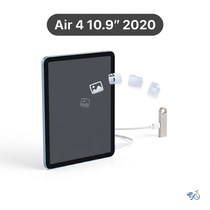
No. This repair doesn't touch your storage, so your photos, apps and files stay on the iPad. We still recommend backing up to iCloud or a computer before any repair.
Which iPad models does this repair work on?
This repair is for the iPad Air (4th generation) (10.9-inch, 2020), model numbers A2316, A2324, A2325 and A2072. The model number is printed in small text on the back of the iPad, under the word "iPad".