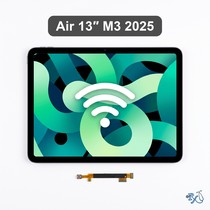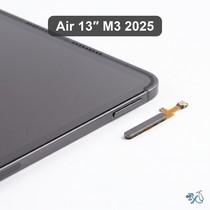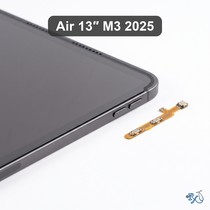


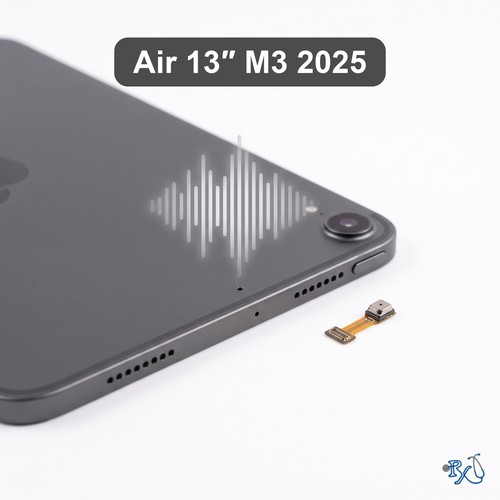
iPad Air 13" (M3, 2025) Microphone Replacement
Model Numbers: A3268 (Wi-Fi), A3269 or A3271 (Wi-Fi + Cellular) (printed on the back under "iPad")
Turnaround: 1 business day after the part arrives, in Mission Viejo, CA or for mail-in
Availability: Part ordered for your repair
iPad Air 13" (M3, 2025) Microphone Replacement Description
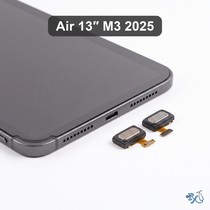
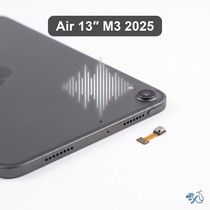
The iPad Air 13" (M3, 2025) has microphones for calls, video and voice recording. If people on FaceTime say they can't hear you, Siri doesn't respond, or your voice memos and videos have no sound or very muffled sound, a microphone may need to be replaced.
Before you buy this repair, check that nothing is covering the small microphone holes and test with a Voice Memo recording. If a Bluetooth headset is connected, turn it off, because the iPad will use that microphone instead.
Symptoms this repair should fix:
- People can't hear you on FaceTime or calls
- Siri or dictation doesn't pick up your voice
- Voice memos and videos record no sound or muffled sound
Ship your iPad Air 13" (M3, 2025) to us from anywhere in the US!
Simply buy the repair using a credit card or PayPal using the button above, ship your iPad to us, and we'll take care of the rest! We cover return shipping to you for free via standard shipping.
Get your iPad repaired in Orange County, CA!
Turnaround for this repair is 1 business day once the part arrives (most parts arrive in 1-2 business days). Feel free to come to our storefront in Mission Viejo if you are close by. An appointment is recommended.
Let our experienced technicians fix your device.
Our technicians have done over 30,000 iOS device repairs, so your iPad Air 13" (M3, 2025) is in good hands.
Find Out Which iPad Model You Have
The iPad Air 13" (M3, 2025) is the iPad Air 13-inch (M3, 2025). It looks the same as the other iPad Air models from 2024 to 2026 from the outside, so check the model number before you buy a repair. The iPad Air 13" (M3, 2025) model numbers are A3268 (Wi-Fi), A3269 and A3271 (Wi-Fi + Cellular).
Option 1: Check in Settings
If your iPad still turns on and the screen works, open Settings > General > About. Next to Model Name you'll see "iPad Air 13-inch (M3)". Next to Model Number you'll see a part number that ends in LL/A in the US. Tap that line once and it changes to the model number that starts with A, for example A3268.
Option 2: Look on the back of your iPad
If your iPad won't turn on or the screen is too damaged to use, turn it over. Under the word "iPad" on the back there are a few lines of small print. Look for the word "Model" followed by an A and four numbers, for example Model A3268.
Text too small to read?
Open the camera on your smartphone, point it at the small print on the back of your iPad and zoom in. You can also take a photo and zoom in on the picture. Good lighting helps, so try it near a window or a lamp.
iPads that look like the iPad Air 13" (M3, 2025):
iPad Air 13" (M4, 2026): A3461, A3462 & A3464 (same body, check the model number)
iPad Air 13" (M3, 2025): A3268, A3269 & A3271
iPad Air 13" (M2, 2024): A2898, A2899 & A2900 (same body, check the model number)
iPad Air 11" (M3, 2025): A3266, A3267 & A3270 (11-inch screen instead of 13-inch)
iPad Air (5th generation, 2022): A2588, A2589 & A2591 (front camera on the short edge)
iPad Air (4th generation, 2020): A2316, A2324, A2325 & A2072 (front camera on the short edge)
iPad Pro 11-inch and 13-inch (M4, 2024 and later): thinner body with Face ID, no Touch ID button
iPad (10th generation, 2022): A2696, A2757, A2777 & A3162 (front camera on the long edge, screen not laminated)
iPad (A16, 2025): A3354, A3355 & A3356 (front camera on the long edge, screen not laminated)
If your model number isn't A3268, A3269 or A3271, find your iPad on our iPad repair page. Still not sure? Call or text us at (949) 903-6452 and we'll help you figure it out.
iPad Air 13" (M3, 2025) Microphone Replacement FAQ
How much does an iPad Air 13" (M3, 2025) Microphone Replacement cost?
The iPad Air 13" (M3, 2025) Microphone Replacement at RxTech Repair is $119, including parts and labor, for both Wi-Fi and Wi-Fi + Cellular models. Mail-in repairs include free standard return shipping.
How long does an iPad Air 13" (M3, 2025) Microphone Replacement take?
Most parts arrive in 1-2 business days. Once the part is here, this repair takes 1 business day, both at our Mission Viejo, CA shop and for mail-in repairs. The screen has to come off to reach the part, so we reseal it with fresh adhesive and let it cure before we hand your iPad back. Mail-in repairs are sent back with free standard shipping.
Can I mail in my iPad Air 13" (M3, 2025) for repair?
Yes. Buy the repair on this page, ship your iPad to RxTech Repair from anywhere in the US using USPS, UPS or FedEx, and we'll repair it and ship it back to you. See our shipping directions.
What does the iPad Air 13" (M3, 2025) Microphone Replacement fix?
It replaces the microphone so people can hear you on calls and Siri, dictation and recordings pick up your voice again.
Will I lose my data?
No. This repair doesn't touch your storage, so your photos, apps and files stay on the iPad. We still recommend backing up to iCloud or a computer before any repair.
Which iPad models does this repair work on?
This repair is for the Apple iPad Air 13-inch (M3, 2025), model numbers A3268, A3269 and A3271. The model number is printed in small text on the back of the iPad, under the word "iPad".