

iPad Pro Charging Port Replacement
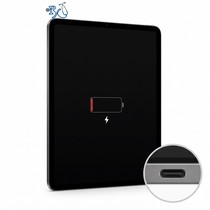
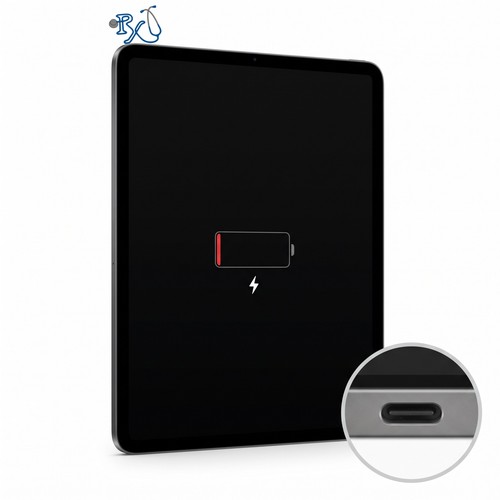
iPad Pro won't charge, the cable feels loose, or it only charges when you hold the cable at an angle? We replace iPad Pro charging ports on every model, from the original 2015 12.9-inch to the 2025 M5, at our Mission Viejo shop or by mail-in from anywhere in the US. Pick your model below to see your exact price before you check out.
Model Numbers: Find your iPad Pro model
Availability: In Stock
Not sure which one you have? Find your iPad Pro model
- What gets replaced: The charging port on your iPad Pro: USB-C or Thunderbolt on 2018 and newer models, Lightning on 2015-2017 models. It fixes an iPad that won't charge, a loose cable, charging that cuts in and out, and an iPad your computer doesn't detect.
- Free in-store diagnostics: Lint packed into the port is a common cause of charging problems. Bring your iPad Pro to our shop and we'll check the port, cable and charger for free before we replace anything.
- Service options: By appointment at our Mission Viejo shop, or nationwide mail-in repair from anywhere in the US.
27001 La Paz Road Suite 402B, Mission Viejo, CA 92691 · info@rxtechrepair.com
iPad Pro charging port replacement prices
| Model | Price | Turnaround |
|---|---|---|
| iPad Pro 13" 7th & 8th Gen (M4 2024, M5 2025)Thunderbolt / USB 4 (USB-C) | $249 | 1 business day |
| iPad Pro 11" 5th & 6th Gen (M4 2024, M5 2025)Thunderbolt / USB 4 (USB-C) | $199 | 1 business day |
| iPad Pro 12.9" 5th & 6th Gen (2021, 2022)Thunderbolt / USB 4 (USB-C) | $189 | 1 business day |
| iPad Pro 12.9" 3rd & 4th Gen (2018, 2020)USB-C | $169 | 1 business day |
| iPad Pro 11" 3rd & 4th Gen (2021, 2022)Thunderbolt / USB 4 (USB-C) | $169 | 1 business day |
| iPad Pro 11" 1st & 2nd Gen (2018, 2020)USB-C | $169 | 1 business day |
| iPad Pro 12.9" 1st & 2nd Gen (2015, 2017)Lightning, soldered to the logic board | $219 | About 2 weeks (microsoldering) |
| iPad Pro 10.5" (2017)Lightning, soldered to the logic board | $219 | About 2 weeks (microsoldering) |
| iPad Pro 9.7" (2016)Lightning, soldered to the logic board | $219 | About 2 weeks (microsoldering) |
iPad Pro Charging Port Replacement Service
This repair replaces a worn or damaged charging port on an iPad Pro. Over time the contacts inside the port wear out, bend or corrode, and the cable stops making a solid connection. You might notice that your iPad Pro won't charge, charges very slowly, only charges when you hold the cable a certain way, or isn't recognized by your computer or accessories.
On an iPad Pro the charging port can only be reached from the inside, so we carefully remove the screen, replace the port and reseal the screen with new adhesive. On 2018 and newer models the USB-C port is a modular part that plugs into the logic board, so the repair takes 1 business day. On the 2015-2017 models the Lightning port is soldered to the logic board, and we replace it with microsoldering, which takes about 2 weeks.
Free diagnostics at our shop
Not sure it's the port? Lint and pocket debris packed into the port is a common cause of charging problems, and so is a worn-out cable or charger. Bring your iPad Pro to our Mission Viejo shop and we'll check the port, cable and charger for free, then tell you what it needs before we start any repair.
Ship your iPad Pro in from anywhere in the United States
Buy the repair with a credit card or PayPal using the button above, ship your iPad Pro to us and we'll take care of the rest. We start on your iPad as soon as it arrives, and we cover standard return shipping to you for free. Click "Shipping" under Customer Service at the bottom of the page for more info.
Let our experienced technicians fix your device.
Our technicians have done over 30,000 iOS device repairs so your iPad Pro is in good hands.
How to Find Your iPad Pro Model
Apple doesn't print the model number on the back of every iPad Pro. The M5 models (2025) don't have one on the outside at all, and the M4 and M5 models look the same from the outside. Use whichever of these works for you:
- If your iPad turns on: go to Settings > General > About. Model Name shows your exact model, for example "iPad Pro 11-inch (M5)". Tap the number next to Model Number until it changes to one starting with "A".
- If the screen is too broken to use: on an iPhone signed in to the same Apple Account, open Settings > [your name], scroll down to your list of devices and tap the iPad. It shows the model name. You can also sign in at account.apple.com and open Devices.
- Check the original box: the label lists the model, storage size and whether it's Wi-Fi or Wi-Fi + Cellular.
- Look at the back (2015-2024 models): the model number is in the small print, "Model A1234", below the word "iPad" on older models and near the bottom edge on M4 models. Type it into the box below.
13-inch (OLED, 2024-2025)
| iPad Pro 13" 8th Gen (M5, 2025)A3360, A3361, A3362 | $249 |
| iPad Pro 13" 7th Gen (M4, 2024)A2925, A2926, A3007 | $249 |
11-inch (OLED, 2024-2025)
| iPad Pro 11" 6th Gen (M5, 2025)A3357, A3358, A3359 | $199 |
| iPad Pro 11" 5th Gen (M4, 2024)A2836, A2837, A3006 | $199 |
12.9-inch (Face ID, 2018-2022)
| iPad Pro 12.9" 6th Gen (2022)A2436, A2437, A2764, A2766 | $189 |
| iPad Pro 12.9" 5th Gen (2021)A2378, A2379, A2461, A2462 | $189 |
| iPad Pro 12.9" 4th Gen (2020)A2229, A2069, A2232, A2233 | $169 |
| iPad Pro 12.9" 3rd Gen (2018)A1876, A2014, A1895, A1983 | $169 |
11-inch (Face ID, 2018-2022)
| iPad Pro 11" 4th Gen (2022)A2759, A2761, A2435, A2762 | $169 |
| iPad Pro 11" 3rd Gen (2021)A2377, A2459, A2301, A2460 | $169 |
| iPad Pro 11" 2nd Gen (2020)A2228, A2068, A2230, A2231 | $169 |
| iPad Pro 11" 1st Gen (2018)A1980, A2013, A1934, A1979 | $169 |
Home Button (2015-2017)
| iPad Pro 12.9" 2nd Gen (2017)A1670, A1671, A1821 | $219 |
| iPad Pro 12.9" 1st Gen (2015)A1584, A1652 | $219 |
| iPad Pro 10.5" (2017)A1701, A1709, A1852 | $219 |
| iPad Pro 9.7" (2016)A1673, A1674, A1675 | $219 |
No model number? Tell them apart by sight
| What you see | Which iPad Pro it is |
|---|---|
| A round Home button below the screen | 9.7" (2016), 10.5" (2017) or 12.9" 1st or 2nd Gen (2015, 2017). Measure the height of the iPad: about 9.4 in is the 9.7", about 9.9 in is the 10.5" and about 12 in is a 12.9". The 12.9" 1st Gen has no flash next to the rear camera; the 2nd Gen does. |
| No Home button, one round rear camera, no square camera bump | 2018 models: 11" 1st Gen or 12.9" 3rd Gen. |
| No Home button, square camera bump with two cameras and a LiDAR sensor, front camera on the short edge | 2020-2022 models: 11" 2nd-4th Gen or 12.9" 4th-6th Gen. These all have the model number on the back. |
| Very thin, front camera on the long (landscape) edge, one rear camera plus LiDAR | M4 (2024) or M5 (2025): 11" or 13". They look identical. If there is a model number on the back, it's an M4. If there isn't, it's an M5. |
Still not sure? Text a photo of the front and back of your iPad to (949) 903-6452 and we'll identify it for you.
iPad Pro Charging Port Replacement FAQs
How long does an iPad Pro charging port replacement take?
On 2018 and newer iPad Pros, the USB-C port is a separate part that plugs into the logic board, so the repair takes 1 business day. On the 2015-2017 models (9.7-inch, 10.5-inch and 12.9-inch 1st and 2nd Gen), the Lightning port is soldered to the logic board and has to be replaced with microsoldering, which takes about 2 weeks. For mail-in repairs, add shipping time both ways.
How do I know if it's the charging port?
Common signs are an iPad that won't charge, a cable that feels loose or falls out, charging that only works when you hold the cable at an angle, and an iPad that your computer doesn't detect. First try a different cable and charger. Lint packed into the port is also a common cause. If you bring your iPad Pro to our Mission Viejo shop, diagnostics are free: we inspect the port first, and if it's just packed lint we'll tell you before replacing anything.
How does your price compare to Apple's?
Apple doesn't replace the charging port by itself. If your iPad Pro is out of warranty, Apple replaces the whole iPad, which costs about $299 to $699 or more depending on the model. Here, a charging port replacement costs $169 to $249, and you get your own iPad back.
Why do older iPad Pros cost more and take longer?
On the 2015-2017 iPad Pros, Apple soldered the Lightning port directly to the logic board. We remove the screen, desolder the old port and solder in a new one, which is board-level work. From 2018 on, the USB-C port is a modular part that plugs in, so the repair is faster.
Will I lose my data?
No. A charging port replacement doesn't erase your iPad, and your apps, photos and files stay where they are. We still recommend an iCloud backup before any repair if your iPad can make one.