



iPad Air 5 Repairs (10.9-inch, 2022)
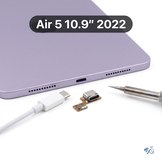
Cracked screen, a dying battery or a USB-C port that won't charge? We repair the iPad Air 5 (10.9-inch, 2022) at our Mission Viejo shop, with upfront prices listed below.
- Compatible models: A2588 (Wi-Fi) | A2589, A2591 (Wi-Fi + Cellular). The model number is in the fine print on the back of your iPad, under the word "iPad".
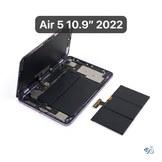
- One screen repair: The iPad Air 5 has a laminated display, so the glass and the LCD are one part. Whether the glass is cracked or the picture is damaged, the $239 Screen Replacement fixes it, Wi-Fi or Cellular. Add a new battery at the same time for $299 total.
- Touch ID: Touch ID is in the top button, not the screen, so screen and battery repairs don't affect it.
- Service options: By appointment at our Mission Viejo shop, or nationwide mail-in repair from anywhere in the US.




iPad Air 5 Repair FAQs
Will Touch ID still work after a repair?
Yes, for screen, battery, camera and almost every other repair. On the iPad Air 5, Touch ID is built into the top button, not the screen, so those repairs don't affect it. The one exception is the top button itself: after a power button replacement the button works for power and lock, but Touch ID will not, because Apple pairs each Touch ID sensor to its iPad's logic board.
Which Apple Pencil works with the new screen?
The replacement screen works with the same Apple Pencils as the original: Apple Pencil (2nd generation), which charges on the side of the iPad, and Apple Pencil (USB-C). Apple Pencil (1st generation) and Apple Pencil Pro don't work with the iPad Air 5.
How do I tell an iPad Air 5 from an iPad Air 4?
They look the same from the outside, so check the model number on the back under the word "iPad" or in Settings > General > About. iPad Air 5 (M1, 2022): A2588, A2589 or A2591. iPad Air 4 (2020): A2316, A2324, A2325 or A2072.
Is it worth fixing an iPad Air 5 in 2026?
Yes. The iPad Air 5 has Apple's M1 chip, the same chip as many Macs, so it still has plenty of life left. Most repairs cost $59 to $149, far less than a new iPad Air.
How long does an iPad Air 5 repair take?
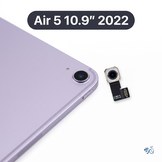
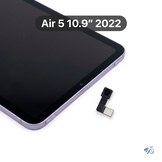
Screen replacements take 2-3 hours, same day, at our Mission Viejo shop in South Orange County. Battery, front camera, lens, microphone, Wi-Fi, power button and screen + battery repairs take 1 business day, and the rear camera and volume buttons take 1-2 business days, because the screen has to come off and the adhesive needs time to cure. Charging port repairs and data recovery take about 2 weeks. For mail-in repairs, add shipping time both ways.