


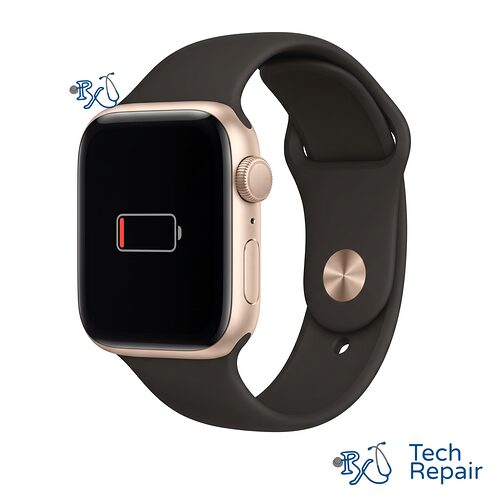
Apple Watch SE (1st Gen) Battery Replacement
Your Apple Watch SE (1st Gen) won't last through the day, dies at a random percentage, or has a battery that's starting to swell? RxTech Repair replaces Apple Watch SE (1st Gen) batteries in Mission Viejo, CA and by mail-in from anywhere in the US for $79.
Model Numbers: A2351, A2353, A2355, A2352, A2354, A2356
Warranty: 1 year on parts and labor
Apple Watch SE (1st Gen) Battery Replacement
Every lithium battery wears out with use. The original SE is now around six years old, and most are on their original battery. A new battery brings back the battery life your watch had when it was new, for much less than the cost of a new watch.
Apple Watch SE (1st Gen) battery replacement price
| Case size | Price |
| Apple Watch SE (1st Gen) 40mm | $79 |
| Apple Watch SE (1st Gen) 44mm | $79 |
The price includes the battery, installation and a 1-year warranty.
Signs your Apple Watch SE (1st Gen) battery is failing
- Your watch doesn't last until bedtime anymore, or you have to turn on Low Power Mode every day
- The battery percentage drops quickly, or the watch shuts off at 20% or 30%
- It won't turn on unless it's on the charger, or it gets stuck on the Apple logo
- The screen is lifting or popping off the case, which is a sign of a swollen battery
Check your Apple Watch SE (1st Gen) battery health
On the watch, open Settings > Battery > Battery Health. If the Maximum Capacity is below 80%, or the watch says the battery needs service, it's time for a new battery. If the battery health looks fine but the watch still won't charge, the problem may be the charger or the charging puck. Call or text us and we'll help you figure it out.
Swollen battery
If the screen on your Apple Watch SE (1st Gen) is lifting off the case, stop wearing and charging the watch and bring it in. A swollen lithium battery pushes the display up from the inside and can be a fire risk if it's punctured. We'll remove it safely and recycle it for you. Learn more about our electronics recycling.
What's included
On the Apple Watch, the battery sits under the display, so the screen has to come off to reach it. We install a new battery made for your Apple Watch SE (1st Gen)'s case size, reseal the display with new adhesive, and check that the watch charges and reports its battery health correctly. Your data isn't affected. Battery replacements come with our 1-year limited warranty, plus our 2-week money-back guarantee and 80% capacity promise. See our warranty page for the battery terms.
Water resistance after a repair
We reseal the display with new adhesive after every battery replacement, but once any watch has been opened, its original water resistance can't be guaranteed. We recommend keeping your watch out of the pool, ocean and shower after the repair. Water damage isn't covered by the warranty.
How to tell if you have an Apple Watch SE (1st Gen)
The case size is engraved on the back of the watch. To check the exact model, open the Watch app on your iPhone and tap My Watch > General > About, or on the watch open Settings > General > About. Tap the Model number to see the number that starts with "A". The Apple Watch SE (1st Gen) model numbers are:
| Case size | Model numbers |
| 40mm | A2351 (GPS); A2353 or A2355 (GPS + Cellular) |
| 44mm | A2352 (GPS); A2354 or A2356 (GPS + Cellular) |
Not sure? Call or text us your model number and we'll confirm the right repair before you pay.
How to Get Your Apple Watch SE (1st Gen) Repaired
In store in Mission Viejo
Bring your watch to RxTech Repair at 27001 La Paz Road Suite 402B, Mission Viejo, CA 92691. Most Apple Watch screen and battery repairs take 1 business day. After the repair, we clamp the watch for a day while the new adhesive cures so the screen seals tightly. Call or text (949) 903-6452 before you come in so we can make sure we have the part for your model. We serve all of South Orange County, including Lake Forest, Laguna Hills, Laguna Niguel, Aliso Viejo, Rancho Santa Margarita, Ladera Ranch, San Juan Capistrano, Coto de Caza and Irvine.
Mail-in from anywhere in the US
Pay for the repair above with PayPal or a credit card, or call to pay by phone, then ship your watch to us using our shipping instructions. Please remove the band and pack the watch so the screen is protected. We'll repair it and ship it back to you by standard shipping for free in the contiguous United States.
Before your repair
Keep your watch paired with your iPhone so its data stays backed up. We test the screen, touch, Digital Crown, buttons, sensors and charging before and after the repair, which usually requires your watch passcode. Please don't remove the watch from your Apple Account, since we may need to confirm it turns on and pairs normally.
Warranty
Apple Watch repairs come with a 1-year limited warranty on the parts we install and our labor. See our warranty page for details.
More Apple Watch SE (1st Gen) Repairs
 Apple Watch SE (1st Gen) Screen Replacement$139Cracked or shattered glass, lines, a black display, or touch that stopped working.
 Apple Watch SE (1st Gen) Battery Replacement$79Won't last the day, dies early, won't charge, or a swollen battery pushing the screen up.
See all Apple Watch SE (1st Gen) repairs.
Battery Replacement Prices for Other Apple Watch Models
| Apple Watch | Price |
| Apple Watch Series 11 (42mm, 46mm) | $79 |
| Apple Watch SE 3 (3rd Gen) (40mm, 44mm) | $79 |
| Apple Watch Series 10 (42mm, 46mm) | $79 |
| Apple Watch Series 9 (41mm, 45mm) | $79 |
| Apple Watch Series 8 (41mm, 45mm) | $79 |
| Apple Watch SE (2nd Gen) (40mm, 44mm) | $79 |
| Apple Watch Series 7 (41mm, 45mm) | $79 |
| Apple Watch Series 6 (40mm, 44mm) | $79 |
| Apple Watch SE (1st Gen) (40mm, 44mm) | $79 |
| Apple Watch Series 5 (40mm, 44mm) | $79 |
| Apple Watch Series 4 (40mm, 44mm) | $79 |
| Apple Watch Series 3 | $69.99 |
| Apple Watch Series 2 | $69.99 |
| Apple Watch Series 1 | $69.99 |
Frequently Asked Questions
How do I check my Apple Watch SE (1st Gen) battery health?
On the watch, open Settings, tap Battery, then Battery Health. If the Maximum Capacity is below 80%, or your watch says the battery needs service, it's time for a new battery.
How much does an Apple Watch SE (1st Gen) battery replacement cost?
Battery replacement is $79 for both the 40mm and 44mm Apple Watch SE (1st Gen), including the battery, installation and a 1-year warranty.
My Apple Watch SE (1st Gen) screen is lifting off the case. Is that the battery?
Usually, yes. A swollen battery pushes the display up from the inside. Stop wearing and charging the watch and bring it in so we can remove the battery safely.
Will a battery replacement erase my Apple Watch?
No. Replacing the battery doesn't erase your watch or its data.